This cat only lives if I keep typing
The AI Journey
AI is everywhere these days, but I still feel like I’m not pushing it enough in my daily life. At first, I was skeptical, until colleagues showed me amazing creations made in such a short time period. That’s when it hit me: I have to adapt.
The game-changer for me has been Claude Code. The capabilities are amazing; it allows you to easily create what you have in mind using agents. It orchestrates what agents should do what, resulting in things you wouldn’t imagine even attempting otherwise. I would have never created this project if it wasn’t for AI, simply because I can’t write in C. If I tried to make this manually, it would have taken me months to learn the language and build something this cool.
Why on a Keyboard?
Lately, I was trying out a new keyboard called the Halcyon Elora - and it is great. But I wanted to display something on it. So, I just ordered two LCD displays for it without even looking at the documentation to see how hard it would be to manually create something.
At this point, I wasn’t scared to be confronted with the build process, since I trusted in Claude Code’s skills and its ability to guide me through making it cool.
Getting the Idea
Since my cat (update: she died :( )is currently having a hard time with infections, the idea struck: having my cat (not specifically the same color, though) on my keyboard would be quite fun. I wanted something like those games from back in the day where you feed your digital animal and try to keep it alive by being very active. Since I really enjoy typing and trying to push myself to higher boundaries with speed typing, I thought this would be a great mechanic: “Having to type to keep it alive!”
With that idea, I started looking around to see if someone had already made it, just to make sure I could create something unique or at least get some inspiration.
This is where I went on the SplitKB discord and looked for some ideas:
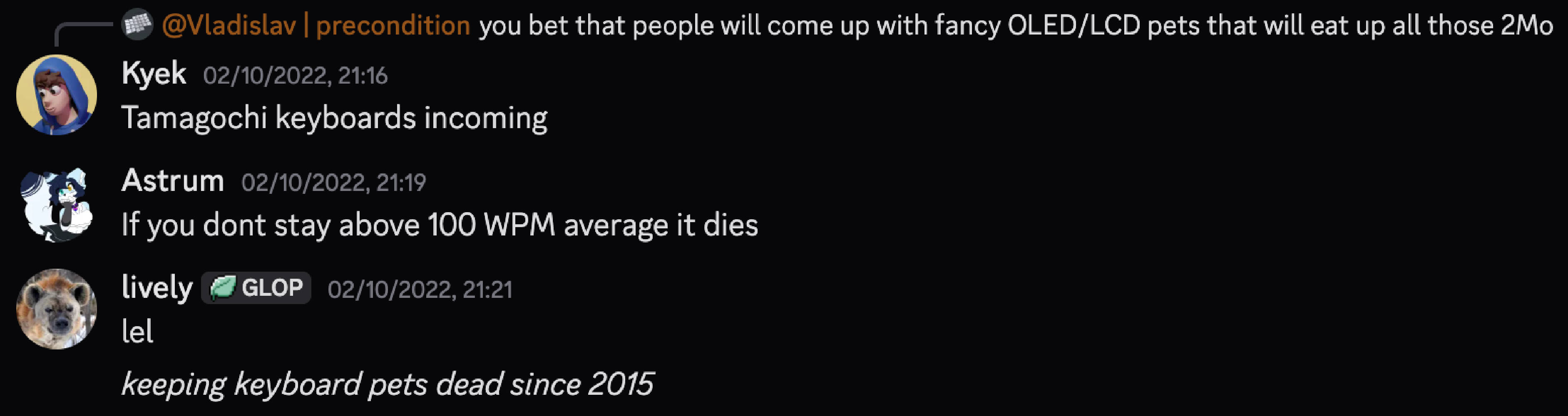 I found this quite funny. In 2022, this would have been possible, but it would have taken so much time, trial, and error with your usual AI chatbots.
Creating the Game
Starting Off Simple
It started off tentatively. I didn’t even know if this would brick the keyboard, so I was prepared to back out and just flash some publicly available firmware…
But it seemed like I really couldn’t find anything that piqued my interest, so I started creating.
To start, I gave Claude Code the documentation for QMK firmware and the SplitKB link. With this, it got to work - even getting to the point of using 100k tokens just for researching resources.
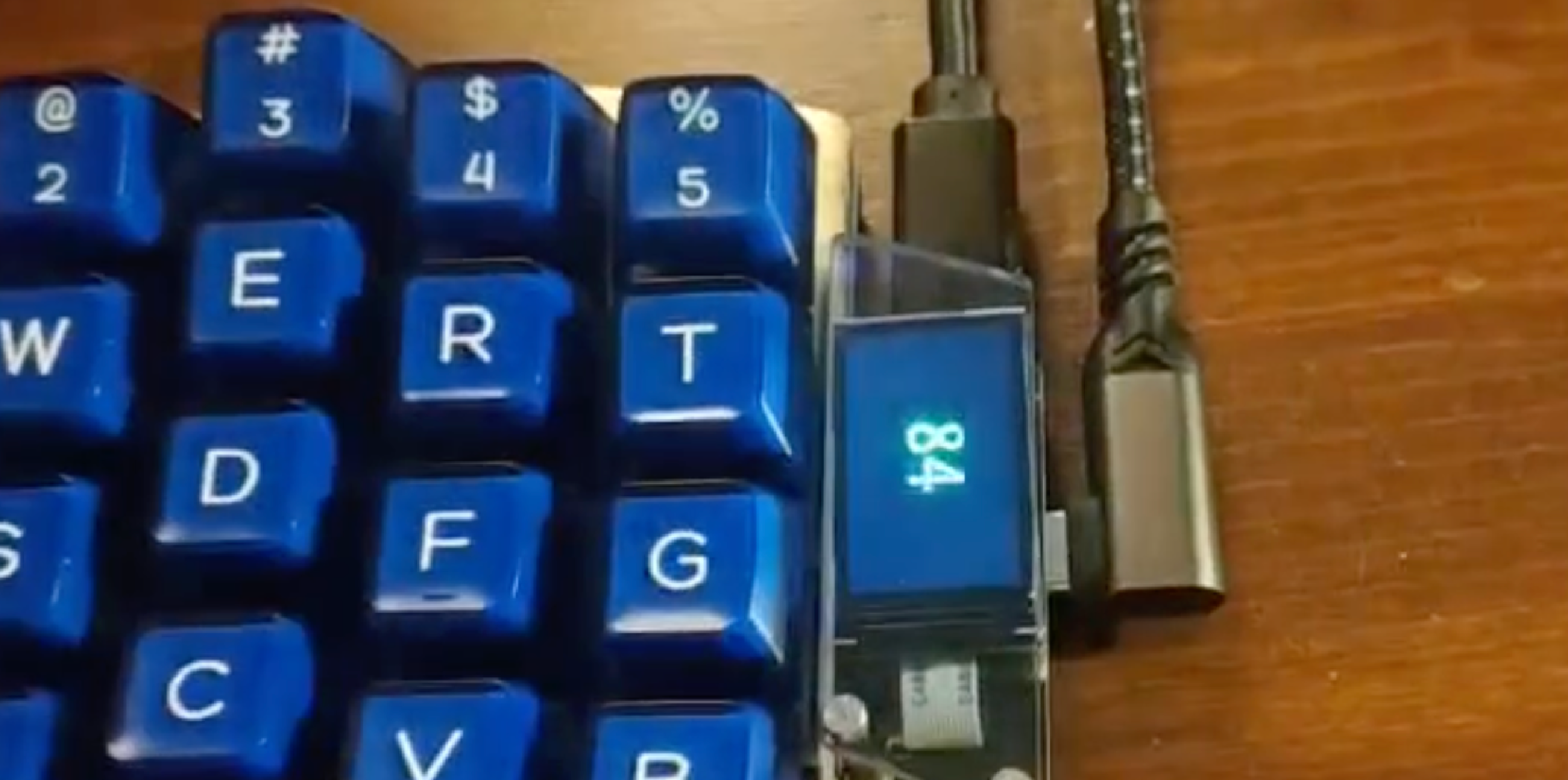
I just wanted to see if it could even make the firmware, so I asked it to build a WPM (Words Per Minute) indicator. When typing, it should show how fast I am writing. This actually worked! It showed the average WPM, which allowed me to have more trust in this project possibly succeeding.
Prototyping the Concept
With the acknowledgment that this idea could result in something more, I asked Claude to investigate the following:
- What is the maximum size of
firmwarefor this keyboard and LCD module? - Can we have a dynamic pet that moves around and tries to eat, drink, or take energy?
- Can we have the food, drink, and energy appear as soon as we are typing to keep it alive?
The simple answer was: yes, yes we can.
Claude spawned agents for each task, resulting in a fast demo for me to see if it would really work. This got me really excited: it did.
The initial result was quite… ugly. It was just a white blob on the screen, walking to some other blobs and ’eating’ them. I did not like this, so I looked around for how we could possibly let Claude know what type of cat I wanted on the screen. I came across an animated cat image that would help get the model in the right direction: At this itch.io page.
It Is Becoming Something
Once the model knew how the cat should look, it resulted in the ability to finally create an application that is quite exciting. It is really a pixel art cat, taking in the projectiles.
The Final Features
Since the development was coming to an end (we don’t want to make it too big, since it runs on a small board that cannot handle too much), I ended up creating the following features:
- The Nemesis: Randomly, an orange cat appears and does “orange cat behavior,” scaring the main cat. This results in the main cat getting mad and hissing the orange cat away!
- Leveling Up: If you type faster for a longer period, you obtain more levels. This allows you to brag to your colleagues about what level you have reached feeding your pet! (Working harder keeps your pet alive and makes you level up).
- Survival Mechanics:
WPMis what keeps the cat alive. When you stop typing, yourWPMlowers, and if it stays at a lowerWPMfor too long, the hearts take damage. You should type at least once a day, otherwise, it dies! But no worries, you don’t have to reflash after it dies; it just revives itself. - VIAL Support: The
firmwarecontainsVIALsupport, so you can easily remap your keyboard via the GUI application VIAL.
The reveal
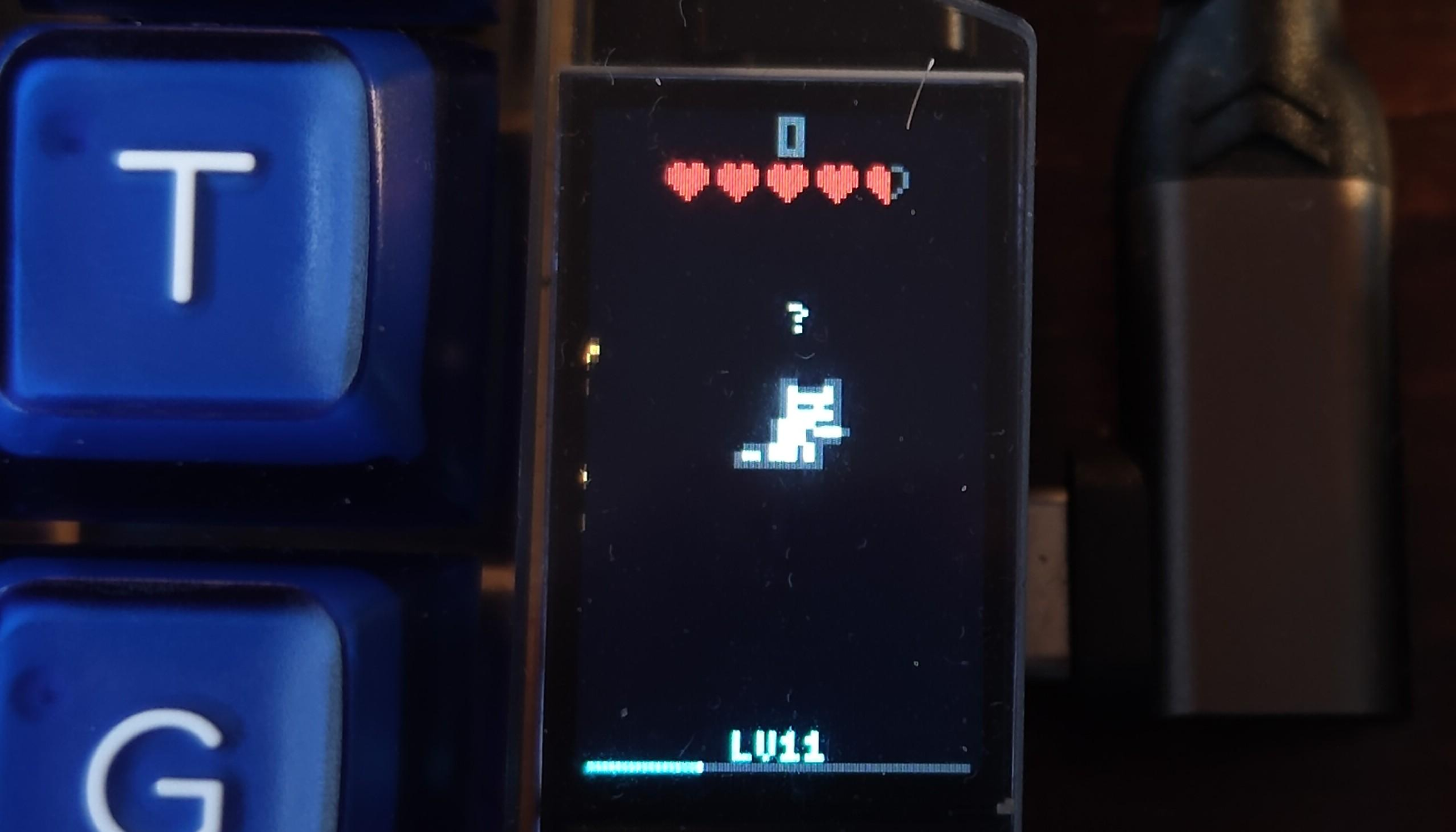
When you are not typing, the cat is waiting for you to type:
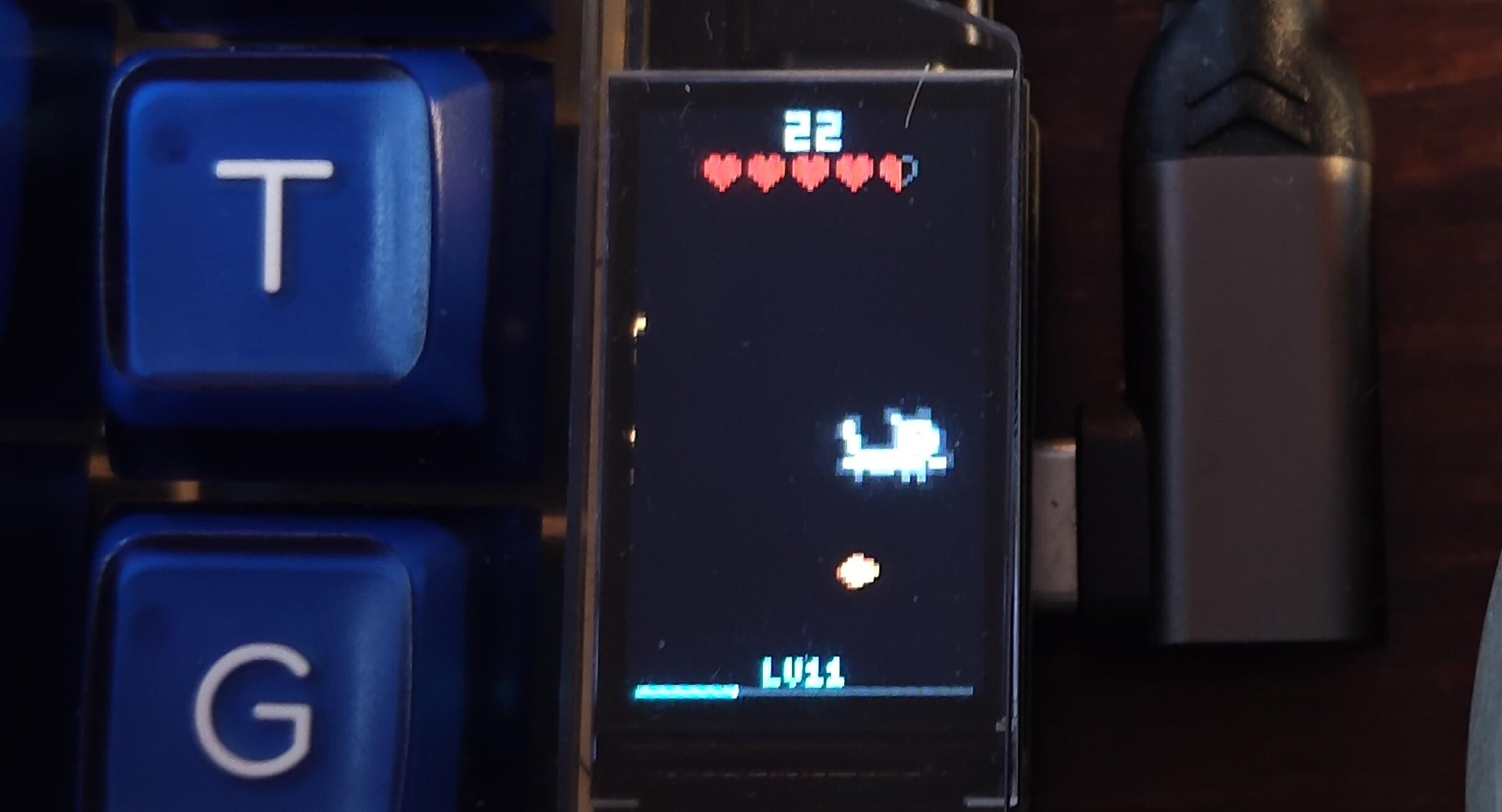
When you are typing, the cat is walking around and grabbing the objects to level up:
And somethings are harder to capture to write in this blog, but you’ll notice yourself ;) for example
- A orange cat appears randomly, and the white cat gets mad at it.
- When you have not been typing for 10 minutes, the cat goes asleep
- And when you lost all your health, the cat dies.
Issues encountered
No VIAL
At the first flash, I was amazed by how the game started looking, but as soon as I thought, “Let me load my layout on it,” VIAL could not find the keyboard. I was surprised to see that fixing this issue was as easy as prompting: “You removed VIAL support, let’s bring that back like the original version has.”
Bricking It?
I thought everything was working great and had already flashed about 10 versions of the game on the keyboard. Then I realized: the reset button did not work anymore… well, that struck me. This might have cost me a keyboard to make.
Looking through the SplitKB documentation, it noted that holding down another button on the keyboard while plugging it in SHOULD make it mount again - but no… this did not work.
After fiddling with it for a while and starting to stress that this might have just been it for the keyboard… It wasn’t. It was probably because my MacBook did not like me mounting and abruptly removing the partitions each time. Have I tried turning it off and on again? Well, I did, and it worked again!
It’s Always the Orange Cat
While I (Claude) was adding a new feature to the keyboard - making an orange cat appear to make the main cat mad (using the last animation of the itch.io page I mentioned earlier) - it came to the conclusion that it does not like to have two cats on the screen at the same time.
When the orange cat appeared, it sabotaged the entire keyboard, making typing very hard. The cat makes the keyyyyyyyyyboard lag (see what I did there), not allowing me to type anymore.
A lot of orange stripes appeared through the entire screen. As soon as I told Claude that the issue appears when the cat becomes visible on the corners of the screen, it knew:
  1. Clipping fix - draw_cat now clips all qp_rect calls to screen bounds. Off-screen rows/columns
  are skipped entirely, partial edge rects are clamped. This fixes the 80+ ms spikes at screen
  borders.
  2. prev_orange_drawn bug - The flag is now saved before resetting, so old orange cat positions
  are actually cleared.
  3. Single-phase flush - No more two-phase approach. Everything draws to the surface in order:
  clear old positions -> main cat -> icons -> overlays -> orange cat on top. Since draw_cat only draws
  non-transparent pixels (color != 0), the main cat's pixels show through the orange cat's
  transparent areas. One qp_surface_draw + qp_flush at the end
The issue was resolved!
Giving Off JPEG Vibes
The whole idea was working great, but we were getting to the point of optimizing it for release. When looking at the projectiles and the orange cat colliding with the main cat, it just looked like a JPEG image being placed on top of another JPEG. This is not something we wanted, so I noted this to Claude. It took some queries to make it understand my issue, but it resulted in the fix:
  1. Clear old positions -> some pixels go black
  2. Draw orange cat (forced dirty, always redraws) -> restores orange pixels over the black
  3. Draw icons
  4. Draw main cat on top (forced dirty, always redraws) -> cat pixels cover everything, transparent
  pixels show the orange cat beneath
And it was fixed!
Improvements
There are, of course, a lot of improvements possible, but at some point, there is a limit: it’s a keyboard, not a full-blown computer. So, advancing this even further would be unrealistic. The important part is that this game needs to be optimized as much as possible and should not interrupt your day-to-day job while using it. Although, pull requests are always welcome!
Ending Note
This was just for fun, trying to experiment with really seeing the physical/graphical output of AI and being able to create something that is on your mind in such a short time period - even for things that you do not require a lot of skill for. I am not very experienced with C; I have written in it a couple of times, but on a very basic level. This really takes it to a higher level, being able to make a keyboard game in less than 2 days.
Enjoy if you have a Halcyon Elora, or when you wanting to port it to another keyboard!